
DocSeeker icon
DocSeeker icon

DocSeeker

Free Windows search tool that finds files by name and by the words inside them, including files inside zip, rar and 7z archives, with smart Arabic search.
DocSeeker screenshot 1

Cost / License

  • Free
  • Proprietary

Platforms

  • Windows
0likes
0articles
Save

Features

  1.  Full-Text Search
  2.  Works Offline
  3.  Arabic Support
  4.  File Search

DocSeeker News & Activities

Highlights All activities

Recent activities

DocSeeker information

AlternativeTo Category

File Management
DocSeeker was added to AlternativeTo by Mahmoud-Altarabin on and this page was last updated .

No comments or reviews, maybe you want to be first?

Official Links

What is DocSeeker?

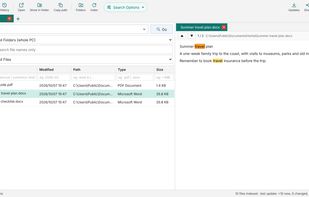
DocSeeker is a free full-text file search program for Windows 10 and 11. It indexes the folders you choose and finds files by their names and by the words inside them, with results appearing as you type.

It reads Word, Excel and PowerPoint files (including old .doc, .xls and .ppt formats), PDF and text files, and also the files inside .zip, .rar and .7z archives, including password-protected archives once you save the password. Matching words are highlighted in a preview pane, and you can open a file, show it in its folder, copy its path or share it.

Arabic search is built in: it ignores diacritics and spelling variants such as أ/ا/إ, ة/ه and ى/ي, and the prefix «ال», so searching one form also finds the others. The interface is available in Arabic and English.

DocSeeker works fully offline. The index stays on your computer, nothing is uploaded, and there are no accounts, ads or tracking. OneDrive files that are online-only are never downloaded. It is available free from the Microsoft Store.