Dockside Alternatives

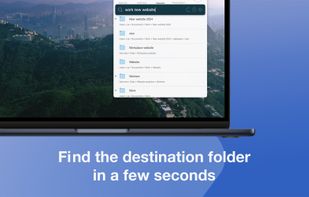
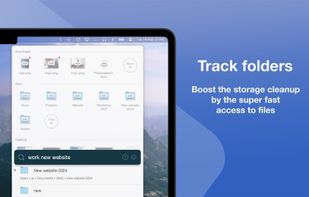
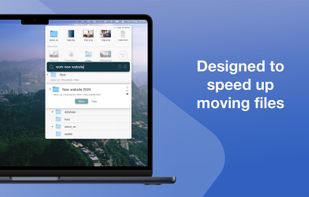
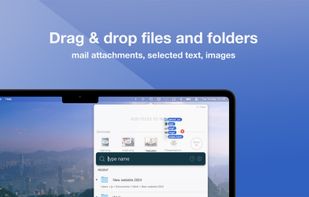
Dockside is described as 'Is your friendly file shelf next to the macOS Dock, where you can drag and drop files, folders, apps, images, videos, and text for quick access or later use' and is a clipboard manager in the os & utilities category. There are more than 10 alternatives to Dockside for a variety of platforms, including Mac, Windows, Linux, Web-based and iPhone apps. The best Dockside alternative is Tokri, which is both free and Open Source. Other great apps like Dockside are ShakePin, NotchNook, The Boring Notch and Dropshelf (Windows).

Copy a direct link to this comment to your clipboard
Get a badge for your siteDockside alternatives page was last updated

Alternatives list

  1. Dropzone icon
     15 likes

    Dropzone is a productivity app for the Mac that makes it faster and easier to move and copy files, launch applications, upload to many different services, and more.

    32 Dropzone alternatives

    Cost / License

    • Paid
    • Proprietary

    Platforms

    • Mac
     
  2. DropPoint icon
     6 likes

    A free and open source alternative to Dropover, that makes dragging and dropping of files seamless. Works on Windows Linux and Mac.

    Cost / License

    Alerts

    • Discontinued

    Platforms

    • Mac
    • Windows
    • Linux
     
  3. FileFillet icon
     2 likes

    The Mac app that makes organizing files a breeze.

    Cost / License

    • Paid
    • Proprietary

    Platforms

    • Mac
     
  4. Dragthing icon
     7 likes

    DragThing is the original dock designed to tidy up your Macintosh desktop.

    It puts all your documents, folders, and applications just a single click away. Highly flexible, it allows multiple docks, each customised to suit your exact needs.

    It stores frequently-used clippings su.

    75 Dragthing alternatives

    Cost / License

    • Freemium
    • Proprietary

    Application type

    Alerts

    • Discontinued

    Platforms

    • Mac
     
  5. ComfyNotch icon
     1 like

    Turns your MacBook’s notch into a customizable HUD with widgets, AI chat, music, brightness, volume controls, and more ? Built for macOS 14+ with Swift.

    Cost / License

    • Free
    • Open Source (MIT)

    Application type

    Platforms

    • Mac
     
  6. Shelfit icon
     4 likes

    Worry less about juggling multiple windows or deciding where you want to store things. With Shelfit you can quickly open up a shelf, drag files in, and then when you're ready just drag them back out.

    Cost / License

    • Paid
    • Proprietary

    Application type

    Platforms

    • Windows
     
  7. Dropshelf icon
     3 likes

    Dropshelf is a place to put things. Drag anything to the edge of the screen, and a shelf slides out. Drop files, text clippings and links — whatever you want to keep handy.

    16 Dropshelf alternatives

    Cost / License

    • Paid
    • Proprietary

    Application type

    Platforms

    • Mac
     
  8. NotchNest icon
     1 like

    NotchNest is the #1 feature-rich notch enhancement app for Mac. Seamlessly integrate essential productivity tools right into your Mac's notch, keeping everything you need within easy reach, now enhanced with intelligent AI features.

    • Key Features

    • AI Clipboard Manager Nev.

    Cost / License

    • Freemium
    • Proprietary

    Platforms

    • Mac
     
  9. FlowShelf icon
     1 like

    FlowShelf a free Mac app that turns your notch into a Dynamic Island and gives everything you copy, drop, or screenshot a temporary home.

    Cost / License

    • Free
    • Proprietary

    Application type

    Platforms

    • Mac
    • Homebrew
     
  10. Holdem icon
     1 like

    Holdem is a lightweight, open-source tool for effortlessly dragging and organizing files on your desktop. Inspired by Dropover and built with Tauri, Holdem lets you collect and drop files in a temporary holding area — no clutter, no hassle.

    11 Holdem alternatives

    Cost / License

    • Free
    • Open Source (MIT)

    Application type

    Platforms

    • Windows
     
  11. NotchPad icon
     Like

    NotchPad turns the MacBook notch into something actually useful — a quick-access notepad, clipboard manager, and snippets tool that's always one hover away.

    Cost / License

    • Paid
    • Proprietary

    Platforms

    • Mac
     
  12. NotchBar icon
     Like

    Don't hide the notch - use it. Transforms the MacBook notch into a tactile, hover-to-expand system hub for media controls and clipboard / system stats shortcuts. Ad-free and lightweight.

    Cost / License

    • Paid
    • Proprietary

    Platforms

    • Mac
     
You are at page 2 of Dockside alternatives