DocFetcher Alternatives

DocFetcher is described as 'Open Source desktop search application: It allows you to search the contents of files on your computer. — You can think of it as Google for your local files. The application runs on Windows, Linux and macOS, and is made available under the Eclipse Public License' and is a very popular File Search utility in the file management category. There are more than 100 alternatives to DocFetcher for a variety of platforms, including Windows, Mac, Linux, BSD and Flathub apps. The best DocFetcher alternative is Recoll, which is both free and Open Source. Other great apps like DocFetcher are FSearch, Listary, Agent Ransack and Cling Fuzzy Finder.

Copy a direct link to this comment to your clipboard
Get a badge for your siteDocFetcher alternatives page was last updated

Alternatives list

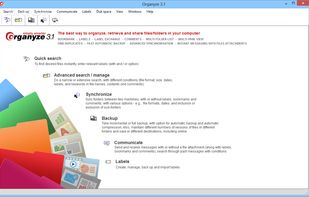
  1. Find files fast across folders, drives, disks and machines and emails in MS Outlook, find duplicates. Attach labels, bookmarks and comments, automatic backup, synchronize, messaging. Tag Web pages while downloading. Share labels with others.

    Cost / License

    • Free
    • Proprietary

    Application type

    Platforms

    • Windows
     
  2.  5 likes

    This tool enables users to search their NTFS formatted harddrives within seconds. It uses the MFT (master file table) of NTFS to search for files very fast.

    Cost / License

    • Free
    • Open Source

    Application type

    Platforms

    • Windows
     
  3.  Like

    rga is a line-oriented search tool that allows you to look for a regex in a multitude of file types. rga wraps the awesome ripgrep and enables it to search in pdf, docx, sqlite, jpg, zip, tar.*, movie subtitles (mkv, mp4), etc.

    Cost / License

    • Free
    • Open Source

    Application type

    Platforms

    • Windows
    • Linux
    • Mac
     
  4. Effective File Search (EFS) is a powerful but easy to use search tool. Search any files on your computer or local network with this effective software. EFS is a real replacement for the Windows Search utility. You can save a lot of time with this excellent file search tool.

    Cost / License

    • Free
    • Proprietary

    Application type

    Platforms

    • Windows
     
  5. liquidFOLDERS icon
     4 likes

    liquidFOLDERS stores all files in a separate area of your computer we call "store". A store does not have a fixed directory tree (let alone one that you'll have to manage yourself), but is one big thing.

    Cost / License

    • Paid
    • Proprietary

    Platforms

    • Windows
    • Windows Explorer
     
  6. iBar icon
     Like

    iBar is like Spotlight but for the web — jump to any page in your browser history in a couple of keystrokes.

    Cost / License

    • Free
    • Proprietary

    Application type

    Platforms

    • Mac
     
  7. Beagle icon
     3 likes

    Beagle is a search tool that ransacks your personal information space to find whatever youre looking for.

    Cost / License

    • Free
    • Open Source

    Application type

    Alerts

    • Discontinued

    Platforms

    • Linux
     
  8. WSearch icon
     Like

    WSearch is a lightweight Windows desktop search application designed to help you quickly find files, folders, and applications.

    Cost / License

    • Freemium
    • Proprietary

    Application type

    Platforms

    • Windows
     
  9. Xfind icon
     Like

    Part of the Xfile System, Xfind searches dropped files for keys you specify. When no key is given, Xfind sums block use, file sizes, and use of resource forks. Xfind can also find files for which the search key is not found.

    Cost / License

    • Paid
    • Proprietary

    Application type

    Platforms

    • Mac
     
  10. Finda icon
     Like

    Finda finds things — windows, browser tabs, code editor buffers, browser history, apps, files, etc. — in under 16 milliseconds.

    Cost / License

    • Paid
    • Proprietary

    Platforms

    • Mac
    • Electron / Atom Shell
     
  11. Spotter icon
     6 likes

    Productivity tool that allows to launch everything (e.g. switch the next song, connect Bluetooth device, set a timer, etc.) so you can stay focused on your current task.

    Cost / License

    Application type

    Alerts

    • Discontinued

    Platforms

    • Mac
     
  12. gnome-search-tool is a utility for finding files on your system. To perform a basic search, you can type a filename or a partial filename, with or without wildcards. To refine your search, you can apply additional search options.

    Cost / License

    • Free
    • Open Source

    Application type

    Platforms

    • Linux
    • GNOME
     
You are at page 8 of DocFetcher alternatives