


D
Divide Scanned Images
Like
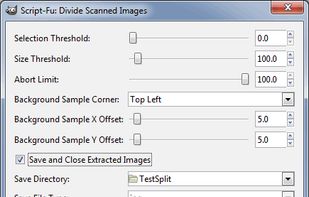
GIMP Scheme (.scm) script for splitting separate sub-images from a composite image that has a uniform background. Creates a new image from each; will call the 'deskew' plugin on each image (if it is installed).

Cost / License
- Free
- Open Source
Platforms
- Mac
- Windows
- Linux
Add Alternatives
0likes
0alternatives
0articles
Comments and Reviews
Info from GitHub: "DivideScannedImages is a plugin for GIMP. To make it run, you’ll have to Download and install the latest version of GIMP (Optionally) Download deskew.exe to GIMP’s plugin directory. On my Windows computer this is C:\Program Files\GIMP 2\lib\gimp\2.0\plug-ins Download DivideScannedImages.scm (from this repository) and copy it to the GIMP scripts folder. On my computer this is C:\Program Files\GIMP 2\share\gimp\2.0\scripts Restart GIMP. You should now see the "Divide Scanned Images..." listed at the bottom of the "Filters" context menu (accessed from the menu bar). Click on it."