DisableWinTracking Alternatives

DisableWinTracking is described as 'A tool to use some of the known methods of disabling tracking in Windows 10. (Telemetry, DiagTrack Log, Services, hosts-file, IP blocking, Windows Defender / WifiSense, OneDrive)' and is an app in the security & privacy category. There are more than 25 alternatives to DisableWinTracking for Windows, Linux, PowerShell, GitHub and Mac. The best DisableWinTracking alternative is RemoveWindowsAI, which is both free and Open Source. Other great apps like DisableWinTracking are ShutUp10++, privacy.sexy, Win11Debloat and XD-AntiSpy.

Copy a direct link to this comment to your clipboard
DisableWinTracking alternatives page was last updated

Alternatives list

  1. RemoveWindowsAI icon
     39 likes

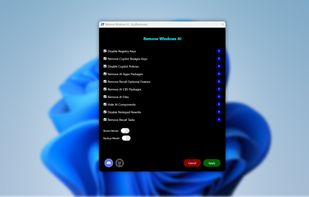
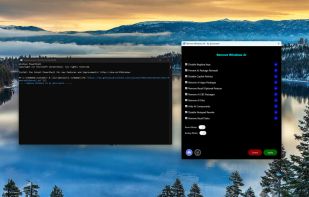
    PowerShell tool for Windows 11 automates disabling and removing Copilot, Recall, AI Actions, typing insights, and AI integrations in system apps, deletes non-removable AI packages and files, installs update package for persistence, and offers a GUI for easy toggles.

    Cost / License

    • Free
    • Open Source (MIT)

    Platforms

    • Windows
    • PowerShell
     
  2. ShutUp10++ icon
     161 likes

    O&O ShutUp10++ means you have full control over which comfort functions under Windows 10 and Windows 11 you wish to use, and you decide when the passing on of your data goes too far. Using a very simple interface, you decide how Windows 10 and Windows 11 should respect your...

    50 ShutUp10++ alternatives

    Cost / License

    • Freemium
    • Proprietary

    Platforms

    • Windows
     
    |
    1
  3. Win11Debloat icon
     16 likes

    Lightweight PowerShell solution for Windows 10 and 11, removes bloatware and preinstalled apps, disables telemetry, blocks ads, controls AI features, customizes Start Menu, taskbar, and File Explorer. Enables dark mode, privacy controls, multi-user options, and profile-wide changes.

    48 Win11Debloat alternatives

    Cost / License

    • Free
    • Open Source (MIT)

    Platforms

    • Windows
     
  4. XD-AntiSpy icon
     20 likes

    XD-AntiSpy is a tweaking tool for Windows 11, derived from the xp-AntiSpy tool for Windows XP. It is a small application, less than 350 kilobytes, that can run without installation.

    Cost / License

    • Free
    • Open Source (MIT)

    Application type

    Platforms

    • Windows
     
  5. WPD icon
     37 likes

    A small but powerful portable tool that works through the Windows API. WPD is the most convenient way to configure various privacy settings in Windows.

    42 WPD alternatives

    Cost / License

    • Free
    • Proprietary

    Alerts

    • Discontinued

    Platforms

    • Windows
     
  6. Privatezilla icon
     25 likes

    Privatezilla integrates the most critical Windows 10 privacy settings and allows you to quickly perform a privacy check against these settings. Active settings are marked with the status "Configured" and indicates that your privacy is protected.

    Cost / License

    • Free
    • Open Source (MIT)

    Application type

    Alerts

    • Discontinued

    Platforms

    • Windows
     
  7. Suite offering 30 plus tools for cleaning, privacy management, detailed system analysis, browser profile cleaning, tailored optimization, software uninstallation, duplicate removal, disk defragmentation, scheduled maintenance and deep customizable tuning.

    Cost / License

    • Freemium
    • Proprietary

    Platforms

    • Windows
     
  8. ThisIsWin11 icon
     20 likes

    ThisIsWin11 lets you customize Windows 11 all in one place. It is slowly expanded as a practical all-rounder for Windows 11, similar to Microsoft PowerToys.

    Cost / License

    • Free
    • Open Source

    Alerts

    • Discontinued

    Platforms

    • Windows
     
  9. WindowsSpyBlocker is an application written in Go and delivered as a single executable to block spying and tracking on Windows systems.

    Cost / License

    • Free
    • Open Source (MIT)

    Application type

    Alerts

    • Discontinued

    Platforms

    • Windows
     
  10. W10Privacy icon
     45 likes

    The by default highly questionable set options concerning privacy and data protection in Windows 10 brought me to the idea for the development of this little program. Microsoft generously enables everybody to change the concerning settings, but hides them in countless menus...

    Cost / License

    • Free
    • Proprietary

    Application type

    Platforms

    • Windows
     
12 of 41 DisableWinTracking alternatives