DevSwitch icon
DevSwitch icon

DevSwitch

 1 like

DevSwitch turns Developer options, USB debugging and Wireless debugging on and off from one screen, three Quick Settings tiles, a home screen widget, and shortcuts on the app icon. It writes the same system settings Android's own Settings app does, so the system reacts...
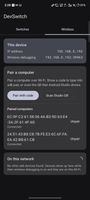
DevSwitch screenshot 1
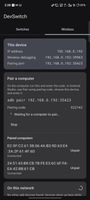
DevSwitch screenshot 2
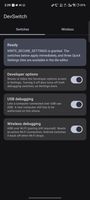
DevSwitch screenshot 3

Cost / License

Since

  • New

GitHub

  • GitHub stars: 45

Platforms

  • Android
  • F-Droid
1like
0articles
Save

Features

Properties

Features

Highlights All activities

DevSwitch News & Activities

Recent activities

DevSwitch information

AlternativeTo Category

OS & Utilities

GitHub repository

  •  45 Stars
  •  6 Forks
  •  0 Open Issues
  •   Updated  
View on GitHub
DevSwitch was added to AlternativeTo by Paul on and this page was last updated .

No comments or reviews, maybe you want to be first?

What is DevSwitch?

DevSwitch turns Developer options, USB debugging and Wireless debugging on and off from one screen, three Quick Settings tiles, a home screen widget, and shortcuts on the app icon. It writes the same system settings Android's own Settings app does, so the system reacts immediately: adbd starts or stops, and the Developer options screen appears or hides.

One-time setup

Android only lets an app change these settings if it holds WRITE_SECURE_SETTINGS, which cannot be requested with a dialog. Grant it once, in any of three ways, and it survives reboots and updates:

  • From a computer: adb shell pm grant app.devswitch android.permission.WRITE_SECURE_SETTINGS
  • On the phone, through Shizuku, with no computer needed
  • With root

Wireless tab

Shows this device's IP address and its live wireless debugging address, plus a scan of adb devices on the Wi-Fi. With Shizuku running it also lists paired computers and can pair a new one, either by showing a code for adb pair or by scanning the QR that Android Studio shows.

Safety

Turning a switch off, or unpairing a computer, asks first, because either can cut the connection a computer is using. The tiles, the widget and the shortcuts do nothing while the phone is locked.

Privacy

No network services, no accounts, no analytics. The only network use is local discovery of adb devices on your own Wi-Fi.