
Devly macOS icon
Devly macOS icon

Devly macOS

 Like

Devly puts 60+ essential developer utilities right in your macOS menu bar : always one click or one hotkey away. Built for macOS 26 and later with native Liquid Glass and a Dashboard that puts every tool at your fingertips.
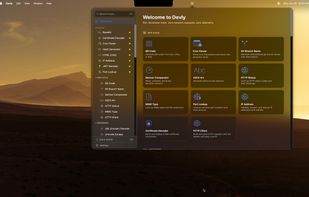
Devly macOS screenshot 1

Cost / License

  • Pay once
  • Proprietary

Since

  • Since 2026

Platforms

  • Mac
0likes
0articles
Save

Features

Highlights All activities

Devly macOS News & Activities

Recent activities

Devly macOS information

  • Developed by

    US flagSangeetha Saseendran
  • Licensing

    Proprietary and Commercial product.
  • Pricing

    One time purchase (perpetual license) that costs $5.
  • Alternatives

    4 alternatives listed
  • Badge

    Get an embeddable badge for Devly macOS
  • Supported Languages

    • English

AlternativeTo Category

Development

Popular alternatives

View all
Devly macOS was added to AlternativeTo by aarushprakash on and this page was last updated .

No comments or reviews, maybe you want to be first?

Official Links

What is Devly macOS?

Devly puts 60+ essential developer utilities right in your macOS menu bar : always one click or one hotkey away. Built for macOS 26 and later with native Liquid Glass and a Dashboard that puts every tool at your fingertips.

Stop context-switching to random websites or hunting for terminal commands. Devly gives you instant access to every encoding, hashing, formatting, and conversion tool you use daily : in a single, beautifully crafted native app.

NEW IN 2.3:

  • Works with Droppy (optional) : run Devly's tools right from Droppy's notch shelf (Base64, JSON, hashes, UUIDs, JWTs, QR codes, etc.) without opening Devly. Off until enabled.
  • Favicon Converter : turn a PNG into a multi-size favicon.ico plus touch icons, web manifest, and HTML tags
  • Refreshed Liquid Glass : glass buttons, a morphing Encode / Decode switch, and glass toasts

Design & Navigation:

  • Liquid Glass mode or the classic look, your choice
  • Dashboard : every tool in a card grid by category
  • Quick Switch (⌘P) : keyboard-first tool launcher

Graphics:

  • Favicon Converter : PNG to favicon.ico and web app icons
  • Tailwind Colors : full Tailwind CSS v3 palette, click to copy hex/rgb/hsl
  • Color Palettes : 12 curated design palettes
  • SVG Editor : live side-by-side SVG editor with preview

Encoding & Decoding:

  • Base64, URL percent-encoding, HTML entities
  • JWT decoder with header & payload inspection
  • Unicode escape, Binary ↔ Hex, Morse code, ROT13

Hashing & Generation:

  • MD5, SHA-1, SHA-256, SHA-384, SHA-512, and HMAC
  • Password hashing (bcrypt-style) and checksums
  • UUID, ULID, Nanoid, and random string generators

Data Formats:

  • JSON formatter & validator with syntax highlighting
  • JSONPath queries, JSON ↔ YAML, XML ↔ JSON, CSV ↔ JSON
  • YAML, XML, SQL, and GraphQL formatters, TOML parser

Web Development:

  • Color converter (HEX, RGB, HSL, HSB)
  • CSS, JavaScript, and HTML minifiers
  • Markdown live preview, Lorem Ipsum, Data URIs
  • SVG path visualizer, placeholder images

Text Processing:

  • String case converter (camelCase, snake_case, kebab-case, etc.)
  • Regex tester with match highlighting and regex library
  • String diff, line sorter & deduplicator, text statistics
  • String escape/unescape, whitespace cleaner, slugs
  • Number base converter, Unix timestamps, epoch batch converter

Developer Utilities:

  • HTTP Client : full built-in request/response tool
  • TOTP Generator : live 2FA codes from QR code or secret
  • QR codes, cron parser, Git branch names, SemVer comparator
  • ASCII art, HTTP status codes, MIME types, port reference
  • IP address info, SSL/TLS certificate decoder

Built For Developers Who Value Their Time:

  • Menu bar native : ⌘K search, ⌘P Quick Switch, ⌘⏎ process, one-click copy
  • Favorites, recent tools, optional CLI, optional Droppy integration, haptic feedback
  • Fast, lightweight, 100% offline : your data never leaves your Mac
  • Dark Mode, Light Mode, and Liquid Glass support

Built with Swift and SwiftUI to feel like a first-party Apple app.

Devly macOS Videos