





DevDome Link Monitor
Like
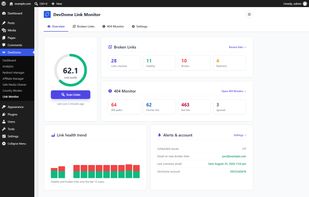
DevDome Link Monitor checks internal and external URLs in saved, published WordPress content. It covers link targets and image sources. Widgets, menus and custom fields are outside its scan scope. The plugin is free on WordPress.

Platforms
- Wordpress


Features
DevDome Link Monitor News & Activities
Highlights All activities
Recent activities
- devdome88 added DevDome Link Monitor
- POX updated DevDome Link Monitor
 devdome88 added DevDome Link Monitor as alternative to Xenu's Link Sleuth, LinkChecker, InterroBot and A1 Website Analyzer


DevDome Link Monitor information
Developed by
 DevDome
 Licensing
Open Source (GPL-2.0) and Freemium product.Pricing
Subscription ranging between $39 and $199 per month + free version with limited functionality.Written in
Alternatives
14 alternatives listedBadge
Get an embeddable badge for DevDome Link MonitorSupported Languages

AlternativeTo Categories
Network & Admin, Business & CommerceGitHub repository
- 0 Stars
- 0 Forks
- 0 Open Issues
- Updated


No comments or reviews, maybe you want to be first?