





Desktop Aquarium
4 likes
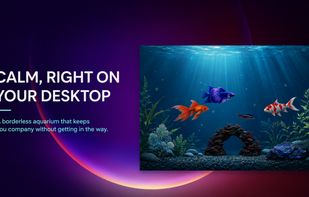
Borderless idle aquarium for Windows that integrates a Pomodoro timer, lets users care for fish, customize themes, earn coins through focus sessions, store progress locally, and interact passively or actively, with multi-language support and no ads or accounts required.

Platforms
- Windows


Features
Highlights All activities
Desktop Aquarium News & Activities
Recent activities
- Oklonsica liked Desktop Aquarium
- JL035 updated Desktop Aquarium
- Juan Anderson liked Desktop Aquarium
- Umair Meer liked Desktop Aquarium
- JL035 liked Desktop Aquarium
 Danilo Venom added Desktop Aquarium as alternative to Dream Aquarium, Sim Aquarium, Marine Aquarium, Dockitty and 2 more
- Danilo Venom updated Desktop Aquarium
- JL035 added Desktop Aquarium
 JL035 added Desktop Aquarium as alternative to Spiritfarer, Tiny Glade, Rooms, Micropolis and 4 more


Developed by
 JobLog
Licensing
Proprietary and Freemium product.Pricing
One time purchase (perpetual license) ranging between $1 and $20 + free version with limited functionality.Alternatives
7 alternatives listedBadge
Get an embeddable badge for Desktop AquariumSupported Languages




No comments or reviews, maybe you want to be first?