





Daylight: Daily Planner
Like
Daylight is a visual daily planner for Android built around a 24-hour circular timeline. Instead of organizing the day mainly as a list, it lets you see work, rest, movement, focus and other parts of your day at a glance.
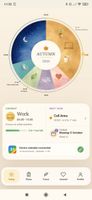

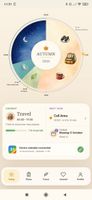

+3
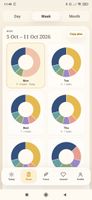

Cost / License
- Free
- Proprietary
 EU
EUPlatforms
- Android

Features
Daylight: Daily Planner News & Activities
Highlights All activities
Recent activities
- CascadeLoom added Daylight: Daily Planner
- Paul updated Daylight: Daily Planner
 CascadeLoom added Daylight: Daily Planner as alternative to Structured, TimeTune, Gravity Focus, TimeGuide and 4 more

Daylight: Daily Planner information
Developed by
 Cascade Loom
 Licensing
Proprietary and Free product.Alternatives
8 alternatives listedBadge
Get an embeddable badge for Daylight: Daily PlannerSupported Languages



No comments or reviews, maybe you want to be first?