Chandra is a highly accurate OCR model that converts images and PDFs into structured HTML/Markdown/JSON while preserving layout information.
Cost / License
- Free
- Open Source (Apache-2.0)
Platforms
- Mac
- Windows
- Linux
- Python

CuneiForm is described as '(OpenOCR) is a text recognition software for printed templates. Manuscripts or PDF-files, the program can not recognize, however, but table structures. The language-model is applicable for 20 languages, and the results can be used as HTML, RTF or ASCII text to save, or' and is a OCR Engine in the office & productivity category. There are more than 50 alternatives to CuneiForm for a variety of platforms, including Windows, iPhone, Web-based, Mac and iPad apps. The best CuneiForm alternative is Notesnook, which is both free and Open Source. Other great apps like CuneiForm are OSS Document Scanner, Tesseract, ABBYY FineReader PDF and Adobe Acrobat DC.
Chandra is a highly accurate OCR model that converts images and PDFs into structured HTML/Markdown/JSON while preserving layout information.

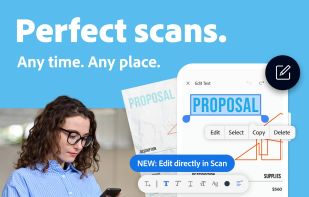
The Adobe Scan scanner app turns your device into a powerful portable scanner that recognizes text automatically (OCR) and allows you to save to multiple file formats including PDF and JPEG.


Spiral is a program that allows users to take notes in a format similar to a spiral notebook. Unlike traditional word processors and text editors that are configured in a way that makes it difficult to document things in a non-linear fashion, Spiral pages allow users to click...


Noto is a modern writing app. With delightful interactions, powerful editing tools, and a beautiful design, Noto helps you capture the best of your everyday life.


The app is 100% FREE, with NO ads and NO data collection. Donations are possible to support the project.


OCRFeeder is a document layout analysis and optical character recognition system.


Meet Scanit, a simple yet powerful scanner app that lets you quickly scan any kind of documents and convert them into PDF’s.


SikuliX automates anything you see on the screen of your desktop computer running Windows, Mac or some Linux/Unix. It uses image recognition.

FreeOCR is a scan & OCR program including the Tesseract free ocr engine, also known as a Tesseract GUI. It includes a Windows installer, and it is very simple to use.


Main point of this app is to scan or select existing PDF documents simply using intent or chooser. Other apps require payment to access their api/sdk or simply don't have a possible way to do it. So they rely on switching between an app ,file chooser and a scanner.