CueForge is a subtitle and caption tool that runs entirely in the browser. Every parse, format conversion, QC check and re-sync happens on your own machine, and files never upload. The only network calls it makes are a Pro licence check and cookieless page-view counting. Transcription runs on-device too, so even the audio you point it at stays local.
The free tier covers everyday subtitle work: SRT, WebVTT, SBV and ASS/SSA in both directions, QC checks, repair, timing shift and retime, cue-by-cue styling, and authoring subtitles from a blank document. There's no account and nothing to install.
Before it converts anything, CueForge shows a per-format-pair loss matrix. It spells out what survives the target format and what gets dropped, things like colour, italics, positioning and line breaks, so you know up front whether an ASS file keeps its styling once it becomes TTML. Being honest about lossy conversions is the whole idea, because most tools convert silently and let you find the damage later.
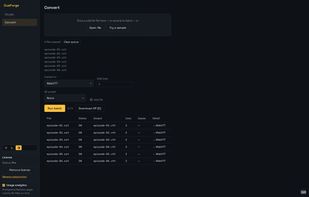
Pro adds the broadcast and delivery formats: SCC (CEA-608), MCC (CEA-708), EBU-STL, TTML, iTunes iTT and EBU-TT-D (EBU Tech 3380), import and export. It also handles frame-rate conversion, drift correction and audio auto-resync, exports QC compliance reports as CSV or a printable page, supports custom QC presets, converts whole folders in batch and downloads them as a ZIP, and runs on-device transcription that writes timed, word-aligned draft cues from a video or audio file.
QC presets ship for Netflix (Latin and Arabic), YouTube and a generic baseline, with reading-speed, line-length, duration and gap thresholds. Right-to-left and bidirectional text such as Arabic and Hebrew is handled through the whole pipeline rather than bolted on at the end.
Pro is $99 a year or $12 a month, with a 7-day free trial. The licence key activates locally and you can cancel anytime.







 cue-forge added CueForge as alternative to Subtitle Edit, Subtitle Workshop, Aegisub, Amara and 2 more


No comments or reviews, maybe you want to be first?