





Ctrl2Cmd
Like
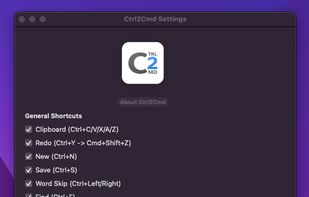
Ctrl2Cmd is a tiny macOS app for anyone who's just switched from Windows and keeps accidentally hitting Ctrl+C instead of Cmd+C. It quietly remaps those familiar Ctrl shortcuts to their Mac equivalents, so your muscle memory doesn't have to unlearn years of habit overnight.

Cost / License
- Pay once
- Proprietary
Platforms
- Mac
Add Alternatives

0likes
0alternatives
0articles
Features
Ctrl2Cmd News & Activities
Highlights All activities
Recent activities
- LowNoise added Ctrl2Cmd
 LowNoise added Ctrl2Cmd as alternative to Karabiner Elements

Ctrl2Cmd information
Developed by
 lownoise
 Licensing
Proprietary and Commercial product.Pricing
One time purchase (perpetual license) that costs up to $9.Alternatives
0 alternatives listedBadge
Get an embeddable badge for Ctrl2CmdSupported Languages
No comments or reviews, maybe you want to be first?