CrossOver Alternatives
Apps similar to CrossOver include Wine, which is free and open source. Other options are WinBoat, Lutris, Proton and Bottles. You're spoiled for choice with Compatibility Layer Tools like CrossOver: we list more than 25 alternatives for Linux, Mac, Android, Windows and the web.
filter to find the best alternatives
Alternatives list

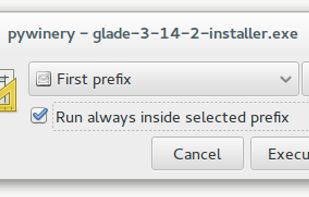
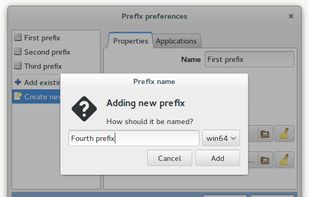
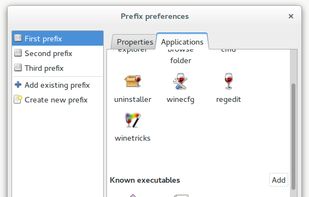
PyWinery is a graphical, easy and simple wine-prefix manager which allows you to launch apps, explore and manage configuration of separate prefixes, graphically and faster than setting variables on linux shell.
Cost / License
- Free
- Open Source
Alerts
- Discontinued
Platforms
- Mac
- Linux
- Wine


 118 Nostlan alternatives
A front-end or user interface (UI) is the presentation and interaction layer of an app or website. Most modern emulator apps have basic game list UIs that you can interact with using a mouse/keyboard but not a game controller.
Cost / License
- Freemium
- Open Source (GPL-3.0)
Platforms
- Mac
- Windows
- Linux
 United States
![Dolphin (Wii, Gamecube, Virtual Console) [Linux, macOS, & Windows]](https://img.alternativeto.net/s/309x197/jpeg/bottlenose_980398_full.png)
![Cemu (Wii U) [Windows & Linux* using Wine]](https://img.alternativeto.net/s/309x197/jpeg/bottlenose_762210_full.png)
![Yuzu (Switch) [Linux & Windows]](https://img.alternativeto.net/s/309x197/jpeg/bottlenose_785449_full.png) +8
+8![Citra (3DS) [Linux, macOS, & Windows]](https://img.alternativeto.net/s/309x197/jpeg/bottlenose_509961_full.png)


Platforms
- Mac
- Linux


WineCharm is a graphical user interface (GUI) application designed to simplify running and managing Windows applications on Linux using Wine. Built with Python and GTK4/Libadwaita, it provides an intuitive interface for launching .exe and .
Cost / License
- Free
- Open Source (GPL-3.0)
Platforms
- Linux
- Python
- Flathub
- Flatpak





Using bare Wine and DOSBox usually gives problems when launching a mixture of Windows and MS-DOS applications.
Cost / License
- Free
- Open Source
Platforms
- Linux

- 33 Sikarugir alternatives
Tool for running and packaging Windows apps or games on macOS 10.15.4+ with Wine, enabling users to choose DirectX backends such as Metal, Vulkan, D3DMetal, VKD3D, DXVK, DXMT, and experimental D9VK for broad compatibility and enhanced performance.
Cost / License
- Free
- Open Source
Application type
Platforms
- Mac
S 
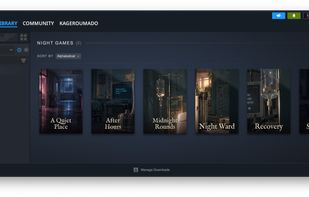
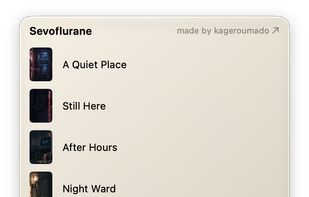
Sevoflurane runs the Windows Steam client through Wine and presents its library, store, chats, and notifications in macOS windows. It can use the bundled Dormison Wine engine or an existing CrossOver bottle.
Cost / License
- Free
- Open Source (MIT)
Application type
Platforms
- Mac


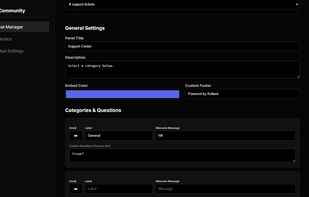
Reliant is an advanced AI-powered Discord ticket bot designed to help communities, businesses, gaming servers, and online teams deliver faster, smarter, and more organized support directly inside Discord.
Cost / License
- Freemium
- Proprietary
Platforms
- Online


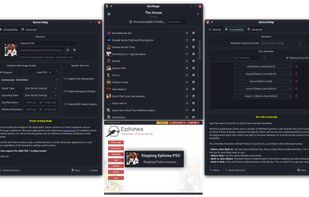
A fast and efficient Proton prefix runner and manager, using umu as its backend for Steam-like compatibility with non-Steam applications.
Cost / License
- Free
- Open Source (GPL-3.0)
Application type
Platforms
- Linux


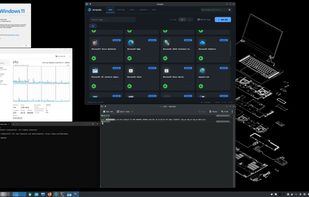
Native Linux windows for every Windows app — real icons, real WM_CLASS, pin-to-taskbar. FreeRDP RemoteApp + dockur/windows. Zero config.
Cost / License
- Free
- Open Source (MIT)
Application type
Platforms
- Linux
 South Korea


Cost / License
- Free
- Open Source (GPL-3.0)
Platforms
- iPhone
- iPad


![Dolphin (Wii, Gamecube, Virtual Console) [Linux, macOS, & Windows]](https://img.alternativeto.net/s/618x394/avif/bottlenose_980398_full.png)
![Cemu (Wii U) [Windows & Linux* using Wine]](https://img.alternativeto.net/s/618x394/avif/bottlenose_762210_full.png)
![Yuzu (Switch) [Linux & Windows]](https://img.alternativeto.net/s/618x394/avif/bottlenose_785449_full.png)
![Citra (3DS) [Linux, macOS, & Windows]](https://img.alternativeto.net/s/618x394/avif/bottlenose_509961_full.png)