




Command Reopen
Like
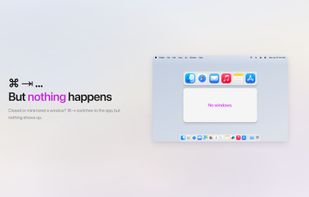
Cmd+Tab ignores minimized windows? Not anymore. Command Reopen restores them automatically — no permissions, no new UI. Works with the native switcher you already know.

Cost / License
- Free
- Open Source (MIT)
Platforms
- Mac


Features
Command Reopen News & Activities
Highlights All activities
Recent activities
 sihua zheng added Command Reopen as alternative to Open Contexts
 mkworld-t0 added Command Reopen as alternative to FlowShelf
 Miguel Carvalho added Command Reopen as alternative to Love Tap
 rokartur added Command Reopen as alternative to BetterCmdTab
 Umang added Command Reopen as alternative to Sxitch
 Paul added Command Reopen as alternative to AltTab, Macscope, Spatial Dock, DockDoor and 24 more
- Paul added Command Reopen


Command Reopen information
Developed by
 chenfeng
 Licensing
Open Source (MIT) and Free product.Written in
Alternatives
33 alternatives listedBadge
Get an embeddable badge for Command ReopenSupported Languages


No comments or reviews, maybe you want to be first?