KeepingYouAwake is a small menu bar utility for macOS (Version 10.13 and newer) that can prevent your Mac from entering sleep mode for a predefined duration or as long as it is activated.

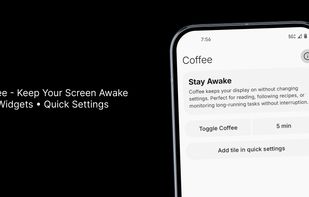
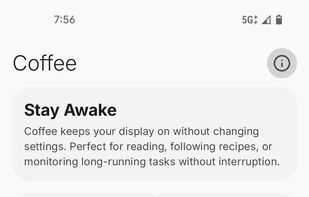
Coffee: Keep Display Awake is described as 'Coffee allows you to keep the display awake without having to change the device settings. It can be toggled at various places:' and is an app in the system & hardware category. There are more than 50 alternatives to Coffee: Keep Display Awake for a variety of platforms, including Mac, Windows, Android, Linux and Android Tablet apps. The best Coffee: Keep Display Awake alternative is Essentials, which is both free and Open Source. Other great apps like Coffee: Keep Display Awake are Amphetamine, Caffeinate, Caffeine for Windows and Stimulator.
KeepingYouAwake is a small menu bar utility for macOS (Version 10.13 and newer) that can prevent your Mac from entering sleep mode for a predefined duration or as long as it is activated.

Don't Sleep is a small portable program to prevent system shutdown, Standby, Hibernate, Turn Off and Restart.

Use Mac with external monitors with lid closed even when you are on battery power. Play music, airplay movies, download/upload lid closed. Most modern and up to date app.


A collection of simple, lightweight tools available as Android Quick Settings tiles, offering instant access to useful features without the need for extra apps.
It always has been a missing feature: disabling the sleep mode on a Apple Laptop. Who does not want to use it as a big juke-box or go warwalking. The best looking server ever, especially at about one inch height.


Annoyed by the display getting dim when you're reading or watching something? What if the computer could “see and hear” you?


When it's not possible to change the screensaver settings in your Windows environment, then it's almost impossible to show things on your screen for a longer period without activating the screensaver.
Clapet is a utility that aims to improve clamshell mode on your Macbook by automatically managing sleep when an external display is detected.
Econap helps you to save energy and increase your comfort. Before your pc enters the sleep mode, Econap will check if something important is running on your system. If so, it will wait until your download, backups, videos etc. are finished. Finally your pc will go to sleep.


Invisible, smart mouse movements prevent your Mac from sleeping and keep the active status in Slack, Teams, and more.
Online all the time? It can't be easier!