Code Viewer icon
Code Viewer icon

Code Viewer

*Featured by Apple in "New and Noteworthy" category

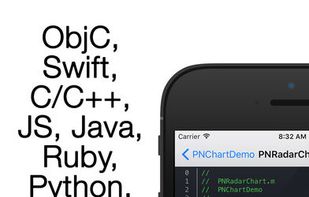
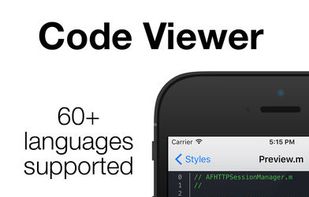
  • View source code files, with native colors * App support 60+ programming languages, like Swift, C, C++, JS, ObjC, C#, HTML, XML, Java, Python, Ruby etc.
Code Viewer screenshot 1

Cost / License

  • Free
  • Proprietary

Platforms

  • iPhone
  • iPad
Code Viewer screenshot 1
Code Viewer screenshot 2
+7
Code Viewer screenshot 3
0likes
1comment
0alternatives
0articles

Features

No features, maybe you want to suggest one?

Code Viewer News & Activities

Highlights All activities

Recent activities

  • feltedred reviewed Code Viewer  

    Last update in App Store was 9 years ago. Seems unmaintained

Code Viewer information

  • Developed by

    Unknown
  • Licensing

    Proprietary and Free product.
  • Alternatives

    0 alternatives listed
  • Supported Languages

    • English

AlternativeTo Category

Development

Apple AppStore

  •   Updated 
  •   3.39 avg rating
View in AppStore

Our users have written 1 comments and reviews about Code Viewer, and it has gotten 0 likes

Code Viewer was added to AlternativeTo by RemovedUser on and this page was last updated .

Comments and Reviews

   
feltedred
0

Last update in App Store was 9 years ago. Seems unmaintained

What is Code Viewer?

*Featured by Apple in "New and Noteworthy" category

  • View source code files, with native colors * App support 60+ programming languages, like Swift, C, C++, JS, ObjC, C#, HTML, XML, Java, Python, Ruby etc.

  • Open Xcode projects like Xcode do it. * You can browse file through folders, or select .xcodeproj file to open whole Xcode project. App will analyse project files, and open your project like Xcode, with all groups, bundles, frameworks, etc.

  • Table of Contents * In each header or source file, you can use Table of Contents, for fast jump to any method definition, interfere, protocol or property declaration, #define constant. We also cheek your #pragma marks, to group your methods.

  • Easy add new code * Just drag your files to app through iTunes, or download/search files directly from GitHub. Just past a link to repository like github.com/AFNetworking/ or search for repository by name. Also you can "Open In" any file in Code Viewer from Safari or any other app.

  • 30+ color themes * Including Xcode Default and Dusk themes

Please send to us your feedback at suppor@skoroapps.com

OS >= 7.0