


CloudsLinker
1 like
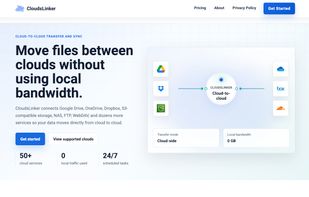
Web-based tool that copies, moves and syncs files between 50+ cloud storage services on its own servers, with no downloads to your computer.

Cost / License
- Freemium (Pay once or Subscription)
- Proprietary
Application type
Since
- Since 2024


Features
Highlights All activities
CloudsLinker News & Activities
Recent activities
- cloud linker updated CloudsLinker
 cloud linker added CloudsLinker as alternative to RiceDrive, CloudHQ, MultCloud, odrive and 2 more


Developed by
 CLOUDSLINKER (HK) LIMITED
Licensing
Proprietary and Freemium product.Pricing
One time purchase that costs $138, and / or subscription ranging between $10 and $21 per month + free version with limited functionality.Alternatives
6 alternatives listedBadge
Get an embeddable badge for CloudsLinkerSupported Languages



No comments or reviews, maybe you want to be first?