Cloudist Play icon
Cloudist Play icon

Cloudist Play

 Like

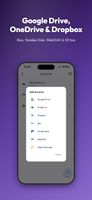
Cloudist Play plays the music you already keep in cloud storage. Connect Google Drive, OneDrive, Dropbox, Box, Yandex Disk, a WebDAV server (Nextcloud, ownCloud, Synology) or any S3-compatible bucket (Backblaze B2, Wasabi, Cloudflare R2, MinIO), pick your music folders, and it...
Cloudist Play screenshot 1
Cloudist Play screenshot 2
+5
Cloudist Play screenshot 3

Cost / License

  • Freemium (Subscription)
  • Proprietary

Application type

Since

  • Since 2026 (updated Mar 2026)

Platforms

  • Mac
  • Online
  • Android
  • iPhone
  • iPad
  • Android Tablet
  • Android TV
0likes
0articles
Save

Features

Properties

Features

Highlights All activities

Cloudist Play News & Activities

Recent activities

Cloudist Play information

  • Developed by

    Unknown
  • Licensing

    Proprietary and Freemium product.
  • Pricing

    Subscription that costs $2 per month + free version with limited functionality.
  • Alternatives

    8 alternatives listed
  • Badge

    Get an embeddable badge for Cloudist Play
  • Supported Languages

    • English
    • Arabic
    • Turkish
    • German
    • Spanish
    • French
    • Japanese
    • Hindi
    • Chinese
    • Portuguese
    • Russian
    • Korean
    • Italian
    • Malay
    • Dutch
    • Catalan; Valencian
    • Romanian
    • Swedish
    • Norwegian Bokmål
    • Danish
    • Finnish
    • Polish
    • Czech
    • Slovak
    • Hungarian
    • Croatian
    • Slovene
    • Greek
    • Ukrainian
    • Hebrew
    • Urdu
    • Bengali
    • Marathi
    • Gujarati
    • Tamil
    • Telugu
    • Kannada
    • Malayalam
    • Panjabi, Punjabi
    • Indonesian
    • Thai
    • Vietnamese
    • Oriya

AlternativeTo Category

Audio & Music

Apple AppStore

  •   Updated 
  •   0 avg rating
Cloudist Play was added to AlternativeTo by ercanemre25 on and this page was last updated .

No comments or reviews, maybe you want to be first?

Official Links

What is Cloudist Play?

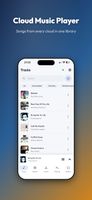
Cloudist Play plays the music you already keep in cloud storage. Connect Google Drive, OneDrive, Dropbox, Box, Yandex Disk, a WebDAV server (Nextcloud, ownCloud, Synology) or any S3-compatible bucket (Backblaze B2, Wasabi, Cloudflare R2, MinIO), pick your music folders, and it builds one library from all of them.

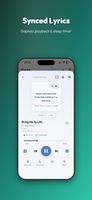
It has background playback, CarPlay and Android Auto, Chromecast and AirPlay, a 5-band equalizer, gapless playback, synced lyrics, a sleep timer and offline downloads. Artist, album and cover art are read from the file tags. It plays MP3, M4A, WAV, FLAC, AAC, OGG, WMA and APE.

Files stream directly from your storage to your device; Cloudist does not host or copy them. The app is free with ads and available in 44 languages on iPhone, iPad, Mac, Android, Android TV and the web.