ClipForge by Unknown icon

ClipForge by Unknown

 Like

A free, local video studio for Windows. Turn one gameplay clip into Shorts, TikTok, Instagram and YouTube versions in one run, with captions, a logo, loudness normalizing and safe zones.
ClipForge by Unknown screenshot 1

Cost / License

  • Free
  • Open Source (MIT)

Since

  • New

Updated

  • Updated Oct 2026

Platforms

  • Windows
ClipForge by Unknown screenshot 1
ClipForge by Unknown screenshot 2
Alternatives
0likes
0alternatives
0articles
Save

Features

Features

Highlights All activities

ClipForge by Unknown News & Activities

Recent activities

ClipForge by Unknown information

AlternativeTo Category

Video & Movies

GitHub repository

  •  1 Star
  •  2 Forks
  •  7 Open Issues
  •   Updated  
View on GitHub
ClipForge by Unknown was added to AlternativeTo by idan062 on and this page was last updated .

No comments or reviews, maybe you want to be first?

What is ClipForge by Unknown?

ClipForge is a free, open-source video studio for Windows that runs entirely on your own PC and is used from your browser. It is built for the repetitive part of short-form video: one edit becomes every version you need.

Studio

  • Trim, crop to vertical (9:16) with safe-zone guides for the Shorts and TikTok buttons, and add text and image layers and your logo.
  • Burned-in captions made with a local speech-to-text model; nothing is uploaded.
  • Loudness normalizing, with the output loudness (LUFS) shown after the run.
  • One run exports Shorts, TikTok, Instagram and YouTube versions, each with its own crop and encoder settings.
  • A live player previews the result while you edit; save your look as a style or a template and reuse it on the next folder.
  • Uses NVIDIA NVENC (H.264, HEVC, AV1) when there is an NVIDIA card, and the CPU (libx264) otherwise.

Data videos

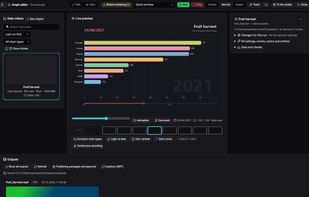
  • Turn a table (CSV, or a World Bank, OECD or CBS series) into an animated bar race, line or map video, with titles, events and captions.

Also included

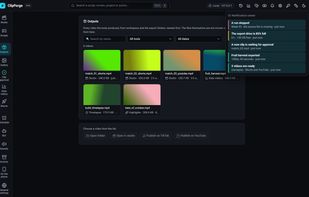
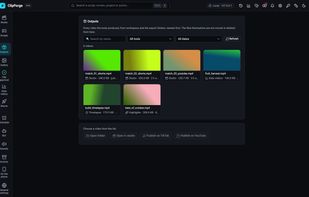
  • An outputs screen with every video you made, a notification center, and a phone screen to watch runs and approve clips.
  • Optional, off until you add your own keys: AI titles and descriptions (Gemini), YouTube upload, a Discord bot, Twitch clip import and an OBS replay watcher.

Privacy: no account, no watermark and no telemetry. The browser UI is served only on 127.0.0.1 with an access token that changes on every start. ClipForge goes online only for the features you set up, a GitHub version check, and a one-time download of the speech-to-text model.

Install: a portable zip (Python and FFmpeg included; no installer), or with Scoop: scoop bucket add clipforge https://github.com/DrummingBird1/scoop-clipforge, then scoop install clipforge. MIT licensed.