CleanAfterMe Alternatives

CleanAfterMe is described as 'Allows you to easily clean files and Registry entries that are automatically created by the Windows operating system during your regular computer work' and is a System Cleaner in the os & utilities category. There are more than 25 alternatives to CleanAfterMe for a variety of platforms, including Windows, Mac, iPhone, iPad and Android apps. The best CleanAfterMe alternative is BleachBit, which is both free and Open Source. Other great apps like CleanAfterMe are CCleaner, Glary Utilities, Tron Script and jv16 PowerTools.

Copy a direct link to this comment to your clipboard
CleanAfterMe alternatives page was last updated

Alternatives list

  1. PC Reviver icon
     3 likes
    Copy a direct link to this comment to your clipboard

    PC Reviver is a multi-purpose utility that will diagnose errors on your PC, safely repair them, and provide other maintenance and optimization recommendations.

    Cost / License

    • Freemium
    • Proprietary

    Platforms

    • Windows
     
  2. Copy a direct link to this comment to your clipboard

    Advanced system optimizer is a package of multiple small utilities which performs end to end PC optimization. It helps to improve the speed of a windows machine by analyzing and cleaning the responsible factors.

    Cost / License

    • Pay once
    • Proprietary

    Platforms

    • Windows
     
  3. Copy a direct link to this comment to your clipboard

    Defragments hard drive files into contiguous locations, cleans junk and temporary files, removes duplicates, repairs file system errors, generates health reports, and displays graphical status for better performance, improved access speed, and fewer system crashes.

    Cost / License

    • Pay once
    • Proprietary

    Platforms

    • Windows
     
  4. SCleaner icon
     2 likes
    Copy a direct link to this comment to your clipboard

    SCleaner is a Small, Simple, Portable & Free System Cleanup & Optimization Utility, It Provides a very simple User Interface Which anyone can Easily Understand yet Provide a collection of Powerful Tools for System Cleanup & Optimization.

    Cost / License

    • Free
    • Proprietary

    Application type

    Platforms

    • Windows
     
  5. EaseeControl icon
     1 like
    Copy a direct link to this comment to your clipboard

    EaseeControl optimize your pc performance, helps you to keep your personal data protected when you surf on internet, delete the unnecessary files from your computer and mostly it can resolve any problem that you're facing with your pc.

    Cost / License

    • Free
    • Proprietary

    Application type

    Platforms

    • Windows
     
  6. Disk Xray icon
     5 likes
    Copy a direct link to this comment to your clipboard

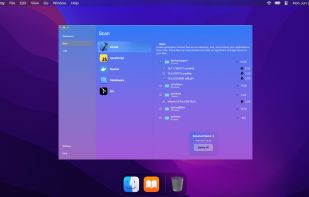
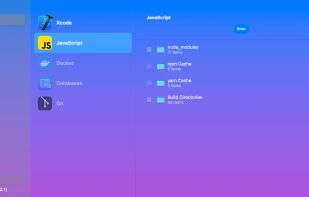
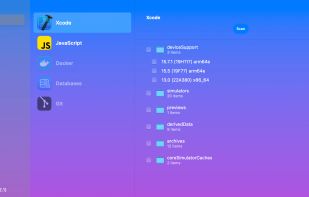
    Visual disk usage analyzer for Mac featuring byte-level duplicate file detection, detailed storage statistics, customizable folder scans, temporary file removal, undo safeguards, selective cleanup, support for large files, and dedicated modules for managing storage.

    295 Disk Xray alternatives

    Cost / License

    • Pay once
    • Proprietary

    Platforms

    • Mac
     
  7.  3 likes
    Copy a direct link to this comment to your clipboard

    AppleJack is a user friendly troubleshooting assistant for Mac OS X. With AppleJack you can troubleshoot a computer even if you can't load the GUI, or don't have a startup CD handy. AppleJack runs in Single User Mode and is menu-based for ease of use.

    Cost / License

    • Free
    • Open Source

    Application type

    Alerts

    • Discontinued

    Platforms

    • Mac
     
You are at page 2 of CleanAfterMe alternatives