Clav is a password manager that keeps each secret in its own encrypted file
on your computer. To access the secrets you use a Security key.
Clav is for people who already keep passwords in files with pass or
passage; for people who want their secrets to stay on their own
machines; and for people who want to enforce the use of a Security key to
access them.
Services like Bitwarden and 1Password keep a copy of your secrets on their
servers, and a master password opens them. Clav has neither. There is no
server to break into, and no password anyone can trick you into typing.
In exchange you give up a convenient way of sharing, autofill, and any way to
recover. If you lose your only key, the secrets are gone. Set up a second key.
How it works
Your secrets are kept in a folder. The folder is a git repository.
Each file is encrypted with age.
Every file has its own key. The Security key manages those keys, and none of
them are kept on the computer, so the device is needed every time. When you
access one secret, all other secrets remain encrypted.
You choose how often the key asks you to confirm. It can ask for a PIN once
per session or every single time, and it can ask for a physical touch, or a
fingerprint, on every secret. Asking for a touch or a fingerprint means nothing
is decrypted unless you are there to confirm it, so malware cannot work through
your secrets while you are away.
Security keys differ in which of these they offer. Clav works with what yours
supports. We test with YubiKeys.
The files follow passage's layout, so other programs can read them.
If you already use passage, Clav opens your folder as it is and changes nothing.
Status
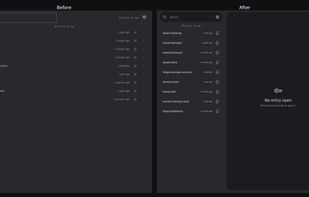
Clav opens, reads and syncs an existing passage vault, on Linux and Android.
Features
- Opens a passage vault from a git remote, cloned over SSH with a key you
provide. The host's fingerprint is shown for you to verify on first contact.
- Lists and searches the vault's secrets, and shows one at a time, whole or
only its first line.
- Copies a secret's first line to the clipboard, as passage show -c does.
- Reads the age identities from the security key, so no identity file has to
be copied to the device.
- Shows the recipients the vault encrypts to, and when each was added.
- Syncs with the remote. A sync is refused when it would replace changes
nobody committed, or when the vault and the remote have diverged.




 Roosemberth Palacios

No comments or reviews, maybe you want to be first?