Chronokura icon
Chronokura icon

Chronokura

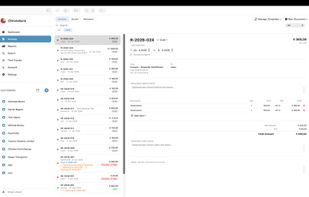
Chronokura is the time tracking and invoicing app for freelancers and small businesses — clear, fast and without a subscription.
Chronokura screenshot 1

Cost / License

  • Pay once
  • Proprietary

Platforms

  • Mac  Requires macOS 26 or later
Chronokura screenshot 1
Chronokura screenshot 2
+8
Chronokura screenshot 3
0likes
0comments
0alternatives
0articles

Features

Properties

  1.  Privacy focused
  2.  Lightweight

Features

  1.  Recurring Tasks
  2.  Works Offline
  3.  OCR
  4.  Ad-free
  5.  No Tracking
  6.  Dark Mode
  7.  No registration required
  8.  Task Time Tracking
  9.  Local Storage

Chronokura News & Activities

Highlights All activities

Recent activities

Chronokura information

  • Developed by

    AT flagAlexander Schoeffmann
  • Licensing

    Proprietary and Commercial product.
  • Pricing

    One time purchase (perpetual license) ranging between $20 and $25.
  • Alternatives

    0 alternatives listed
  • Supported Languages

    • English
    • French
    • German
    • Italian
    • Portuguese
    • Slovak
    • Spanish

AlternativeTo Categories

Office & ProductivityBusiness & Commerce
Chronokura was added to AlternativeTo by Magicbean on and this page was last updated .
No comments or reviews, maybe you want to be first?

What is Chronokura?

Chronokura is the time tracking and invoicing app for freelancers and small businesses — clear, fast and without a subscription.

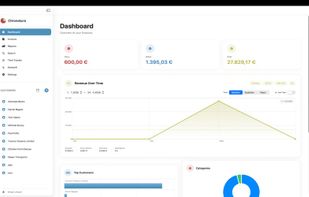
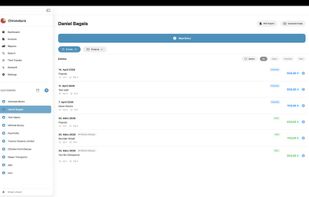
TIME TRACKING Track working hours for any number of clients and projects. Hourly rate or flat fee, timer or manual entry — your choice.

INVOICING Create professional invoices directly from your time entries. With customizable templates, logo, VAT, reverse charge and ZUGFeRD standard.

REPORTS & OVERVIEW Stay on top of your finances with monthly, quarterly and annual reports. Export PDF reports for clients or accounting.

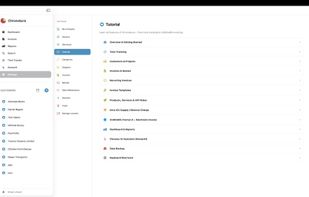
AI ASSISTANT (HEMERA) Let Hemera create invoices, search entries or summarize reports — all in natural language, completely local without any cloud.

BACKUP & SECURITY Automatic backups on app start, encrypted with AES-256. Optionally with iCloud sync for multiple Macs.

PRIVACY All data stays on your Mac. No cloud, no external servers, no accounts required.

Official Links