





CellAlert
1 like
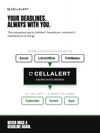
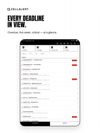
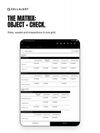
CellAlert helps organizations track deadlines, renewals and critical dates stored in spreadsheets.


+1

Cost / License
- Subscription
- Proprietary
 EU
EUPlatforms
- Online
- Android
- iPhone
- Android Tablet
- iPad
- Software as a Service (SaaS)

Features

Highlights All activities
CellAlert News & Activities
Recent activities
- Jonas David liked CellAlert
- Jonas David updated CellAlert
- Jonas David added CellAlert
- Paul updated CellAlert
 Jonas David added CellAlert as alternative to SSL Expiration Reminder, ExpiryPulse, Watch My SSL, CertChime and 8 more

Developed by
 Jonas Hoettler
 Licensing
Proprietary and Commercial product.Pricing
Subscription ranging between $39 and $129 per month.Alternatives
12 alternatives listedBadge
Get an embeddable badge for CellAlertSupported Languages
AlternativeTo Categories
Office & Productivity, Security & Privacy, Remote Work & EducationApple AppStore
- Updated
- 0 avg rating




No comments or reviews, maybe you want to be first?