





CaptainShot
1 like
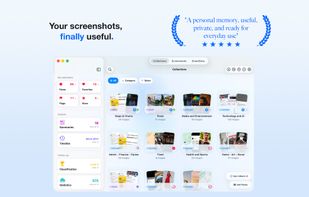
CaptainShot is a screenshot organizer and visual information manager for iPhone, iPad, and Mac.

Cost / License
- Freemium (Pay once or Subscription)
- Proprietary
Application typeApplication types
 EU
EUPlatforms
- Mac
- iPhone
- iPad


Features
CaptainShot News & Activities
Highlights All activities
Recent activities
 Mauricio B. Holguin added CaptainShot as alternative to Caplio
 Roger Plainview added CaptainShot as alternative to omemo
- Damien Clère updated CaptainShot
- Damien Clère updated CaptainShot
- Damien Clère updated CaptainShot
- Damien Clère updated CaptainShot
- Damien Clère commented on CaptainShot
Hi! I’m the developer of CaptainShot.
I created it because I kept taking screenshots to remember useful things, only to lose them among thousands of images in Photos.
After more than a year of development and user feedback, CaptainShot has grown into a native iPhone, iPad, and Mac app for organizing, searching, and acting on screenshots and imported images.
Privacy has guided the project from the beginning: core analysis and search happen on device, screenshots are never uploaded to...
- Damien Clère added CaptainShot
- Damien Clère liked CaptainShot
 Damien Clère added CaptainShot as alternative to Capture - Screenshot Manager, Screenshot Pro Screenshots App, PixelShot, SnapGrid and 9 more


CaptainShot information
Developed by
 Damien Clere
 Licensing
Proprietary and Freemium product.Pricing
One time purchase that costs up to $7, and / or subscription ranging between $1 and $5 per month + free version with limited functionality.Alternatives
15 alternatives listedBadge
Get an embeddable badge for CaptainShotSupported Languages
AlternativeTo Categories
Photos & Graphics, Office & Productivity, Online Services, AI Tools & Services, File Management, News & BooksApple AppStore
- Updated
- 0 avg rating


Comments and Reviews
Hi! I’m the developer of CaptainShot.
I created it because I kept taking screenshots to remember useful things, only to lose them among thousands of images in Photos.
After more than a year of development and user feedback, CaptainShot has grown into a native iPhone, iPad, and Mac app for organizing, searching, and acting on screenshots and imported images.
Privacy has guided the project from the beginning: core analysis and search happen on device, screenshots are never uploaded to CaptainShot’s servers, and no account is required.
I’d be glad to answer any questions, hear your feedback, or learn which alternatives you currently use and what you value most about them.