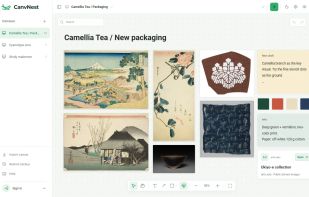
CanvNest is a reference board and moodboard app for images, video, audio, links and notes. Arrange them on an infinite canvas, compare references side by side, and copy several selected items together as one image to paste into a chat or an email.
Local canvases in the desktop app are free, unlimited and stored on your device. They need no account and can be edited offline. A free account adds cloud sync across Windows, Mac and the web, with 3 cloud canvases, 1 GB of storage, files up to 50 MB each, and view-only share links. Pro costs US$5 per month and includes unlimited cloud canvases and 20 GB of storage; the 50 MB per-file limit still applies.
The desktop app includes a floating collector at the screen edge. Drag images, video, audio files, links or text onto it to add them to the current canvas. CanvNest saves the content you add to a canvas and does not record your clipboard history.
The desktop app supports 64-bit Windows and Apple silicon Macs running macOS 11 or later. A web app is also available. The interface supports English, Simplified Chinese and Traditional Chinese.







No comments or reviews, maybe you want to be first?