


BeeRef
30 likes
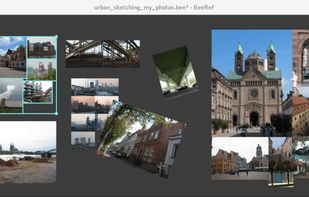
BeeRef lets you quickly arrange your reference images and view them while you create. Its minimal interface is designed not to get in the way of your creative process.

Cost / License
- Free
- Open Source (GPL-3.0)
Application type
Platforms
- Mac
- Windows
- Linux

Features
Highlights All activities
BeeRef News & Activities
Recent News
No news, maybe you know any news worth sharing?
Share a News Tip
Recent activities
- TBayAreaPat liked BeeRef
- leo-kadieff added BeeRef as alternative to FrameThrower
- cntchngusrnme liked BeeRef
- fyreink liked BeeRef
- diagnoses1824 liked BeeRef
- AlternativeOfTheUsername liked BeeRef
- seki-ryu replied to a comment / review on BeeRef
- hced replied to a comment / review on BeeRef
- foteja7230 replied to a comment / review on BeeRef


Powerful Open Source Creative Softwares
Ever wondering about free great open source software to start your idea? Here's a list for you to get started.
Also mentions several rarely known and newer software as well!
Please note that almost none of these alternatives are 1-to-1 replacement with exact some features. Most of these software might have entirely different scope of project.
Notable event: Libre Graphics Meeting, annual meeting on Free/Libre and Open Source software for graphics.
https://www.libregraphicsmeeting.org
Cover image by David Revoy (CC-BY 4.0) https://www.davidrevoy.com/article1061/cmyk-support-in-inkscape-could-be-a-game-changer-for-professional-print-designers


Linux • Graphics
My personal list of graphics applications made or ported to linux (Incomplete)


What's on my 2024 Linux Laptop
A list with 53 apps by amenthes without a description.
Official Links
Install from the command line
flatpak install flathub org.beeref.BeeRef
Developed by
UnknownLicensing
Open Source (GPL-3.0) and Free product.Written in
Rating
Average rating of 4.5Alternatives
12 alternatives listedBadge
Get an embeddable badge for BeeRefSupported Languages

AlternativeTo Categories
Education & Reference, Photos & GraphicsGitHub repository
- 812 Stars
- 73 Forks
- 44 Open Issues
- Updated


Comments and Reviews
Works pretty much exactly like PureRef. Glad I decided to see if there are alternatives. This is the only one I found that is comparable while also being open-source.
great and they got a new update
I hope to bump my review up to 5 stars once a few things have been ironed out:
Some of the pluses are:
Will update my review if things improve. For now, I'm staying with PureRef. (Jan 2023.)
Well it is Open-Source, just make the changes yourself. Those are rather trivial (nit-picky) requests.
Are you in the right forum? This is a review board for software users, not necessarily a place where everyone is a programmer capable of developing better software, let alone a single Hello World.
You'd be right to call me out if my review wasn't polite and well intended.
Not sure if this was present in 2023, but you can rebind keys by editing a KeyboardSettings.ini file. Not up to the user friendliness standards of popular commercial software for sure but doable for a motivated average person. You can find it under right-click Settings Open Settings Folder