





Cablehop
Like
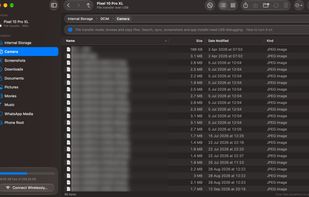
Move files between your Mac and your Android phone, over USB or Wi-Fi. I built Cablehop for myself because the alternatives were slow, overpriced, finicky and just not very good. Now it's free for anyone to use: a native macOS app with Finder drag and drop and no phone setup needed.


Features
Highlights All activities
Cablehop News & Activities
Recent activities
- added Large File Transfer as a feature to Cablehop
- added Privacy focused as a feature to Cablehop
- added Lightweight as a feature to Cablehop
- reviewed Cablehop★★★★★
Its pretty good. Its like the old days before google stopped supporting their filesharing thing. I used it with a cable considering i had large files but it also did show wireless haven't used it yet. Might as well not pay for macdroid then
- reviewed Cablehop★★★★★
Worth the download
- rated Cablehop★★★★★
- rated Cablehop★★★★★
- ak5050 added Cablehop
 ak5050 added Cablehop as alternative to MacDroid, OpenMTP, Droid File Transfer, Findroid - Android File Transfer and 4 more

Developed by
 AK
Licensing
Open Source (MIT) and Free product.Written in
Alternatives
8 alternatives listedBadge
Get an embeddable badge for CablehopSupported Languages

AlternativeTo Category
File ManagementGitHub repository
- 0 Stars
- 0 Forks
- 0 Open Issues
- Updated


Comments and Reviews
Worth the download
Its pretty good. Its like the old days before google stopped supporting their filesharing thing. I used it with a cable considering i had large files but it also did show wireless haven't used it yet. Might as well not pay for macdroid then