
BriefMark icon
BriefMark icon

BriefMark

Automatic Table of Authorities for legal briefs in Microsoft Word, on Mac and Windows, without uploading the document.
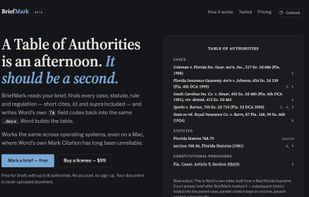
Home page, with a Table of Authorities that Word built from a BriefMark-marked brief

Cost / License

  • Freemium
  • Proprietary

Platforms

  • Online
0likes
0articles
Save

Features

Properties

  1.  Privacy focused

No features, maybe you want to suggest one?

BriefMark News & Activities

Highlights All activities

Recent activities

BriefMark information

Popular alternatives

View all
BriefMark was added to AlternativeTo by Shamus Chowenhill on and this page was last updated .

No comments or reviews, maybe you want to be first?

Official Links

What is BriefMark?

BriefMark prepares a Table of Authorities (TOA) for legal briefs written in Microsoft Word.

Open a .docx in the browser and BriefMark finds the authorities it cites: cases, statutes, constitutional provisions, court rules, regulations and secondary sources. It also traces short forms, Id. and supra back to the right authority, including in footnotes. Every authority is shown in a review table, where you can edit the long form, change its category or leave it unmarked; anything the parser is unsure of is flagged.

BriefMark then writes Word's own TA (Table of Authorities entry) fields after each citation and TOA fields under the brief's Table of Authorities heading. Open the file in Word, update fields, and Word builds the table with page numbers. Because the output uses Word's native field codes, the table can be regenerated after later edits.

The document is processed entirely in the browser and is never uploaded to a server. It works the same on Windows and Mac, including Word for Mac, where the built-in Mark Citation dialog is unreliable.

Free for briefs with up to 8 authorities; a one-time lifetime license covers longer briefs.
