Brevia is an open-source meeting recording, transcription, and note-taking app for macOS, Windows, and Linux, with companion apps for iPhone and Android.
Record microphone and system audio, or import a recording. Transcribe in 30+ languages, display bilingual captions, identify speakers, and edit notes alongside the transcript. AI can suggest decisions, action items, and meeting minutes. Source-linked fishbone diagrams trace conclusions back to the original speech and recording.
Brevia detects unfamiliar names and technical terms for review. Confirmed glossary entries can be reused across meetings and workspaces while preserving the original transcript.
Pair a phone by scanning a QR code on the same local network. Use it as a wireless microphone, view the live transcript, or transfer an offline recording for desktop processing. A floating capsule provides compact captions and recording controls. Supported meeting apps can trigger a reminder to start recording.
Recordings and meeting data stay on your devices by default. Local models support offline work after download without a Brevia account. Optional public sharing uploads a text snapshot with password and expiry controls; recording audio is not included. Configuring an external AI provider sends relevant text to that provider.
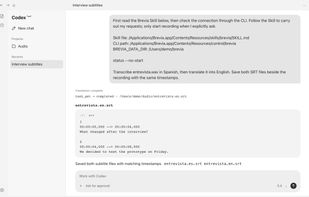
Skill, CLI, and MCP integrations let local agents search meetings, control recording, transcribe files, and translate subtitles. Export formats include Markdown, TXT, JSON, SRT, DOCX, PDF, and WAV audio.
The 2.x desktop architecture uses Tauri/Rust, system WebViews, and native inference. Windows and Linux offer CPU and NVIDIA CUDA builds. CPU installers are around 50 MB; model weights download separately and CUDA builds are larger.







 Yang-Zhou-ZeroLoveSeA added Brevia as alternative to Vibe Transcribe


No comments or reviews, maybe you want to be first?