Borderless Gaming Alternatives

Borderless Gaming is described as 'Versatile tool designed to enhance your gaming experience by allowing you to play games in borderless-fullscreen mode. This mode combines the benefits of both fullscreen and windowed modes, providing a seamless and interruption-free gaming session' and is an app in the gaming software category. There are seven alternatives to Borderless Gaming for Windows. The best Borderless Gaming alternative is Borderless, which is both free and Open Source. Other great apps like Borderless Gaming are ihateborders, NoMoreBorder, Windowed Borderless Gaming and Magic Borderless.

Copy a direct link to this comment to your clipboard
Borderless Gaming alternatives page was last updated

Alternatives list

  1. Borderless icon
     4 likes

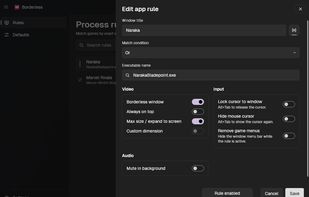
    Forces games and desktop applications into borderless layouts on Windows by matching titles or executables, reapplying window styles as needed, supporting extra input and audio rules, running in the background, ideal for apps needing persistent style changes.

    7 Borderless alternatives

    Cost / License

    Platforms

    • Windows
     
  2. ihateborders icon
     2 likes

    A free and lightweight Windows utility for making any window borderless. Created as an open-source alternative to Borderless Gaming.

    Cost / License

    Platforms

    • Windows
     
  3. NoMoreBorder icon
     1 like

    NoMoreBorder is a utility designed to enhance your multitasking experience by enabling any windowed application to run in a fullscreen borderless mode without changing the screen resolution. This software is perfect for certain scenarios where applications don't have a...

    Cost / License

    • Free
    • Open Source (MIT)

    Platforms

    • Windows
     
  4. Play all your games in full screen windowed borderless mode. Remembers and resizes your game automatically to fit full screen after setting it the first time.

    Cost / License

    • Free
    • Proprietary

    Platforms

    • Windows
     
    |
    1
    Windowed Borderless Gaming vs Borderless Gaming Comments
    Tyrand
    0

    Not as responsive as Borderless Gaming, and still uses 1~2% of your CPU constantly while "idle" in the background.

    • Windowed Borderless Gaming is Free and ProprietaryBorderless Gaming is Paid and Proprietary
  5. Magic Borderless auto detects any games & applies your preferences. It also includes mouse locks, multi-monitor & widescreen goodies, volume manager, multitasking assistance, and privacy features like Ninja Mode.

    Cost / License

    • Paid
    • Proprietary

    Alerts

    • Discontinued

    Platforms

    • Windows
     
  6. Simple Runtime Window Editor (SRWE) is a program that allows you to pick a running application and manipulate size, position, styles of its main/child windows. SRWE was built to maintain games that run in Windowed-mode.

    Cost / License

    • Free
    • Open Source (MIT)

    Platforms

    • Windows
     
  7. ShiftWindow icon
     4 likes

     Play your games in full screen windowed borderless mode so you can get to your other programs without alt tabbing out and minimizing your game.

    Cost / License

    • Free
    • Proprietary

    Platforms

    • Windows
     
7 of 7 Borderless Gaming alternatives