

Blanq PDF
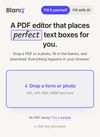
Blanq is a browser-based PDF filler that uses a computer-vision model to find the blanks for you, so you can fill flat PDFs and scans that have no form fields at all.
Features
Properties
- Privacy focused
- Lightweight
- AI-Powered
Features
- Fill PDF Forms
- No registration required
- Ad-free
- No Logs
- No Tracking
- OCR
- PDF annotation
- PDF OCR
- Integrated Form filler
Blanq PDF News & Activities
Recent activities
- Schnovak added Blanq PDF
- Schnovak added Blanq PDF as alternative to Adobe Acrobat Reader, Sejda, PDF24 Creator and Adobe Acrobat DC
Blanq PDF information
What is Blanq PDF?
Blanq fills PDFs that other editors can't touch. Most PDF tools only work if the file was built with form fields (Adobe, Sejda), or they make you drag text boxes onto the page by hand. Blanq is different underneath: it runs a computer-vision model that reads each page as an image and locates every fillable field for you, including blank lines, boxes, dotted leaders, and checkboxes. That means it works on flat PDFs and scanned paper that have no form structure at all. Everything runs in your browser, so the file never leaves your device. Once the fields are found, you type straight onto them, and Blanq exports a normal flattened PDF. Blanq AI is an optional layer on top. It reads the page and proposes an answer for each blank, looking up public facts and asking you only for the personal details. It never invents an answer, and you can edit everything before you export. The detection model is the core of the product. The AI is a convenience built on it, not a wrapper around someone else's service. I built the detection model from the ground up because nothing existed that could find fillable fields on unstructured or scanned documents. It saves people the print-fill-scan loop on forms, and it is also what finally lets an AI complete a PDF on its own, which was not possible before there was a way to locate the fields.