


Bitwarden
1505 likes
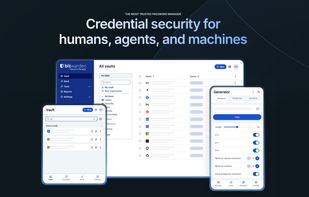
Open-source password manager using AES-256 and PBKDF2 SHA-256 encryption. Securely store and sync logins across iOS, Android, Windows, and more without service provider access.

Cost / License
- Freemium (Subscription)
- Open Source
Application typeApplication types
Platforms
- Mac
- Windows
- Linux
- Online
- Android
- iPhone
- Android Tablet
- iPad
- Self-Hosted
- Apple Watch
- Snapcraft
- Microsoft Edge
- Vivaldi
- Google Chrome
- Flathub
- Microsoft SQL Server
- Tor Browser
- Safari
- F-Droid
- OpenAPK
- Software as a Service (SaaS)
- Flatpak
- Cloudron
- Docker
- Opera
- Chocolatey
- Mono
- Brave
- AppImage
- Mozilla Firefox


Features


Highlights All activities
Bitwarden News & Activities
Recent News
- Fla published news article about Android
- Fla published news article about Bitwarden
- Paul published news article about Bitwarden


Recent activities
- escolhas liked Bitwarden
After moving away from proprietary managers like LastPass and 1Password, Bitwarden has been a breath of fresh air.
Pros:
Open Source & Audited: Complete transparency with zero-knowledge AES-256 encryption. Cross-Platform: Works flawlessly across Linux, Windows, macOS, Android, iOS, and all major browser extensions. Generous Free Tier: Sync unlimited passwords across unlimited devices without paying a dime. Affordable Premium & Self-Hosting: The $10/year premium tier is unbeatable value, and...
- Vibrant Media Team liked Bitwarden
- Aleksejs K liked Bitwarden
- Emilia Matz liked Bitwarden
- Ashish Kumar liked Bitwarden
- Patrice-3241 liked Bitwarden
- thibodeau9 liked Bitwarden
- fartmaster liked Bitwarden





How to live without Google
For many the Internet is Google: Search, mail, videos, web browser, cloud services, mobile OS, etc. – Google is the major player in all these fields. But Google uses all data it gathers across its services to post targeted ads, and to massively profit from the data many share so freely with the Internet giant. Your personal data can also be subpoenaed by lawyers, including for civil cases like divorce. Google answered over 200,000 such data requests in 2020 alone.
More and more people are also realizing the risk of relying on one company for so many personal services. So, the time has come to stop this unlimited data mining and to take back our right to privacy. Here's a quick guide as to how you can use the Internet without sharing all your data with Google.


The ultimate F-Droid setup (300+ Apps)
WHAT IS F-DROID ?
F-Droid is an awesome app repository for FOSS (Free & Open Source Software) android apps. From productivity apps to games, f-droid has (almost) everything you need.
Hope you will discover useful FOSS apps to free your phone from Big Tech^^
REPOSITORIES :
This list includes apps from the official f-droid repo but also from IzzyOnDroid and some customs repositories which will be always linked so you can add them easily.
CATEGORIES :
F-Droid clients
Utilities
Social & Communication / 8 subcategories
Health / 7 subcategories
Customization / 3 subcategories
Gaming / 3 subcategories
Internet / 6 subcategories
Productivity / 15 subcategories
Privacy / 5 subcategories
Security / 4 subcategories
Media apps / 10 subcategories
If you care about privacy check :
Privacy focused OS for everyone
My privacy and user friendly setup
For more FOSS Android apps check : Beautiful Open Source Apps for Android
DISCLAIMERS :
Adding custom repo might not be as secure as the official one so I'm not responsable if you encounter any problems with them ! I encourage you to do your own research about it !
Also while open source is great for privacy and security it is not perfect. So keep that in mind before downloading any apps.
Most apps that I've listed are privacy friendly but some might be not be perfectly private and secure. I again encourage you to do your own research about them.
I am not a privacy and security expert. I'm also don't consider myself as a developper so I do not have any technical knowledge and so I didn't look into any source code of any apps in this list !
English is not my mother tongue ^^'



The Windows setup for everyone (with freeware only) Will make Windows suck less
This is the apps for Windows 11 that I would recommend to anyone who just got a PC !
The same list for
macOS :
Linux kernel (GUI apps only) :
Official Links




Install from the command line
winget install -e --id Bitwarden.Bitwardenbrew install --cask bitwardenflatpak install flathub com.bitwarden.desktop
Developed by
 Bitwarden
 Licensing
Open Source and Freemium product.Pricing
Subscription ranging between $2 and $4 per month + free version with limited functionality.Written in
Rating
Average rating of 4.7Alternatives
274 alternatives listedNews
21 news article related to BitwardenBadge
Get an embeddable badge for BitwardenSupported Languages

AlternativeTo Categories
Security & Privacy, Web Browsers, Backup & Sync, Development, Office & Productivity, Network & Admin, OS & Utilities, Remote Work & EducationApple AppStore
- Updated
- 4.76 avg rating
GitHub repository
- 20,278 Stars
- 1,792 Forks
- 267 Open Issues
- Updated


Comments and Reviews
Updated review: 2018-05-18
Summary:
Bitwarden is, overall, the hands down best all-round password manager I know that will suit most people. Open source, fully-encryped (unlike LastPass), free or cheap, works on all OSes, supports 2-factor authentication, with a responsive developer. You just don't get that anywhere else. It's simply one of the best apps you can use to help you stay safe online.
(Disclosure: I don't have any affiliation with Bitwarden. I don't even know anyone involved. I just know how it works, what it does and how it can help the average user.)
The full version:
Password managers are essential and come in many different shapes and sizes. The best advice is to go with something that is open source, which the "big players" like LastPass, 1Password and Dashlane aren't. Open source software ensures a higher level of trust, and enables security flaws to be found much more quickly.
The Good:
BitWarden is open source, which is good for security and trustworthiness. However, like its closed-source competitors mentioned above, it syncs an encrypted version of your password library to a central server, so that your logins are available wherever you are. All you have to do is install a browser plugin, desktop app or phone app (Android and iOS). Additionally, it offers 2-factor authentication via mobile (or Yubikey for the paid version). One of the major advantages of BitWarden is that it encrypts your URLs (web addresses) whereas Lastpass does not (and I think 1Passwords doesn't either). If you use LastPass, this should alarm you profoundly: they can read which websites you have accounts with, how often you visit them, and that means this data can be subpoenad and used to profile you, which would be a violation of your privacy. (Remember: privacy and security aren't the same thing.)
Recent versions of Bitwarden have enabled the storage of credit card data, notes and - for the paid version - up to 1GB of attachments.
The Bad.
BitWarden is based in Florida, which puts it under US legal jurisdiction, which is far from ideal. Although it's open source, the data - in it's unreadable, encrypted format - is stored on Microsoft's "Azure" servers. That means the servers are probably well managed and secure, but if the data was asked for by federal agencies under National Security Letter or FISA laws, they would probably hand it over and tell you nothing about it. It would be encrypted, but they would still have a copy to attack in the future, if they wanted. If you're not a techie, it means this: your secrets would be protected by the best mathematics int the world ever, against the best minds the US government can buy today. Go figure. Ultimately, it's not a bad bet.
The fact that Bitwarden (and Lastpass, etc) store your data on a central server (whoever it belongs to), means there is a high-value target servers somewhere for hackers to target. This has been LastPass's perennial problem, and in the case of OneLogin, another related servers, an attack seems recently to have succeeded.
My advice
My advice for using password managers varies based on who my audience is:
If you are "all thumbs" at technology, or want something very simple, go for Encryptr. It will keep your passwords safe, sync them and it has an extremely easy interface that looks the same, whether you use Mac, Windows or Linux.
If you are "average" at technology, I think BitWarden is for you. It's every bit as easy to use (easier even, perhaps) than LastPass, more secure, more trustworthy and cheaper. What's not to like?
If you are a "techie", then it depends. If you want something super convenient, Bitwarden's service is the best option I've found to date (2018-05-18). If you're ultra-conscious about your security and privacy, then use a local database that you sync yourself (e.g. KeePassXC, which works with browser plugins on Windows, Mac and Linux). If this is you, then there's probably you can learn from me. But two tips: 1) KeepassXC is the best Keepass-compatible cross-platform client I've seen so far; 2) if you do sync your own database, I'd recommend against assuming you're safe from Dropbox, Google Drive, etc. just because your database is encrypted. It's still obvious (to them) that this is what you're syncing. Consider Cryptomator, Tresorit, Spideroak, Sync.com, or any other end-to-end encrypted service.
The remaining option is to host an instance of Bitwarden yourself. About that I have little to say, except: clearly, you will have to know what you're doing. But, if you think that an encrypted database is safe because it's encrypted (a successful hacker can't use it), then why not have it on MS Azure with Bitwarden's service? If you want to run it on your own server, then fine. But then you'll know, of course, that bots exist to knock on all the Raspberry Pi doors online, seeing what might be pried open. Up to you. I'll just say I'm glad that this option exists; you can't exactly run LastPass instances on your own, can you?
In all cases, avoid LastPass and 1Password like the plague. They will make your passwords more secure only up to a point, and your internet habits much less private.
2017-06-25 update: I have been testing BitWarden for the past couple of weeks. I am impressed by how much of the functionality of LastPass it can offer for such a young project. The developer is also responsive and has fixed a GUI bug I reported. He predicts addtitional features in the summer of 2017, including Yubikey for paying customers (same price as LastPass: $1/month). I would like to see Bitcoin as a payment option, but about this he says he is undecided.
Last update: 2018-05-18
[Edited by JohnFastman, May 18]
please update your review regarding the selfhostoption on bitwarden.
Yes, I'd also like clarification on this. BitWarden appears to offer self-hosting setup options now (and at no cost). Your insights on both BitWarden and KeePass have proven invaluable and I'd really appreciate your input here. Does BW still save an encrypted copy elsewhere? I'm curious to hear if the latest BW changes anything for you.
By popular request, I have updated my review.
May I ask you to review Myki Password manager? I'm quite curious what you think of it.
Not working in most cases on Android or different browsers. Useless
After moving away from proprietary managers like LastPass and 1Password, Bitwarden has been a breath of fresh air.
Pros:
Open Source & Audited: Complete transparency with zero-knowledge AES-256 encryption. Cross-Platform: Works flawlessly across Linux, Windows, macOS, Android, iOS, and all major browser extensions. Generous Free Tier: Sync unlimited passwords across unlimited devices without paying a dime. Affordable Premium & Self-Hosting: The $10/year premium tier is unbeatable value, and having the option to self-host (via Docker/Vaultwarden) gives total control over your data.
Cons:
The UI is functional and clean, though not as flashy as 1Password.
Easily the best balance between security, usability, and digital sovereignty. Highly recommended!
Generally does the job. Waiting for firefox extension to have webauth support so I can log in with my security key... Maybe it's a firefox problem tho.
The best multi-platform password manager on the market. It's free with OTP codes costing only $10 a year. The only thing I don't like about it is that it uses a heavy, slow Electron app on macOS. If you use only Apple devices, then Apple Passwords is already a very solid native replacement.
I have been using Bitwarden for about 7 years now. I have my master password protected by a hardware key.
Occasional bugs but works perfectly and they allow Vaultwarden.