Bimlyte is a free browser-based BIM tool for reviewing IFC models and managing BCF issues without installing desktop software or creating an account. Project files are processed locally on your device, so your models and issue data are not uploaded to a server.
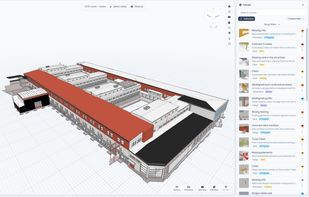
You can inspect 3D models, review element properties, take measurements, create section views, and work with multiple files in one project. Bimlyte also lets you create and organize BCF issues, add comments and visual markups, filter and update multiple issues, and track project progress with dashboards and charts.
When it’s time to share or hand over a project, Bimlyte can generate customizable PDF and Excel reports, export standard BCF files for use with other BIM tools, or package the entire project into a single .bimlyte file. A .bimlyte project can include IFC models, BCF issues, saved views, selection sets, custom fields, filters, and other project settings, making it easy to move a complete project between computers or share it with a colleague.
Bimlyte can also be installed for offline use, making it useful for design reviews, coordination meetings, site work, and sharing BIM information with people who don’t have specialized BIM software.
Bimlyte is actively developed, with new features and improvements added regularly. Planned updates include support for IDS files and additional tools to make BIM review and coordination even easier.




 Ola-H added Bimlyte as alternative to BIM Vision, xeoVision, usBIM.viewer+ and ifcreport.app


No comments or reviews, maybe you want to be first?