




Battery Percentage Icon
5 likes
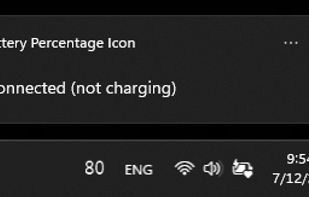
See your battery percentage, health, status, and other details in the Windows system tray. Be notified when battery becomes critical, low, high, and full.

Cost / License
- Free
- Open Source (MIT)
Application type
Since
- Since 2023
Updated
- Updated May 2026
Releases
- 2 releases last year2 last year


Features
Highlights All activities
Battery Percentage Icon News & Activities
Recent activities
- Robin_P liked Battery Percentage Icon
 Paul added Battery Percentage Icon as alternative to BattOpt
 emelem added Battery Percentage Icon as alternative to BatStats
 Emin added Battery Percentage Icon as alternative to PlusPlusBattery


Developed by
Soleon InnovationLicensing
Open Source (MIT) and Free product.Written in
Alternatives
43 alternatives listedBadge
Get an embeddable badge for Battery Percentage IconSupported Languages

AlternativeTo Category
System & HardwareGitHub repository
- 135 Stars
- 23 Forks
- 39 Open Issues
- Updated


Comments and Reviews
This app is free, simple, only shows battery percentage, has concise and precise functionality which is what I need, and has good reviews.
I've been trying to download BPI, w/o success. GitHub doesn't have the installation package--says to go to the MS Store. Every link, search, etc., there shows "Product not found". Was it removed, discontinued, or is it just "unavailable in [my] market" (Canada)?
Simple and doing the job exactly as advertised.