
AVAide MKV Converter icon

AVAide MKV Converter

 Like

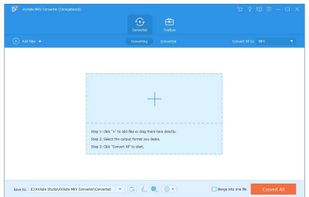
If you want to convert MKV files to other video & audio formats, AVAide MKV Converter could do you a favor. It enables you to convert MKV files to various video formats like MP4, AVI, WMV, MOV, etc. and extract audio track from an MKV file.
AVAide MKV Converter screenshot 1

Cost / License

  • Freemium (Subscription)
  • Proprietary

Since

  • Since 2022

Platforms

  • Windows
Alternatives
0likes
0alternatives
0articles
Save

Features

Features

Highlights All activities

AVAide MKV Converter News & Activities

Recent activities

No activities found.

AVAide MKV Converter information

  • Developed by

    AVAide Studio
  • Licensing

    Proprietary and Freemium product.
  • Pricing

    Subscription ranging between $14 and $16 per month + free version with limited functionality.
  • Alternatives

    0 alternatives listed
  • Badge

    Get an embeddable badge for AVAide MKV Converter
  • Supported Languages

    • English

AlternativeTo Category

Video & Movies
AVAide MKV Converter was added to AlternativeTo by AVAideStudio on and this page was last updated .

No comments or reviews, maybe you want to be first?

What is AVAide MKV Converter?

If you want to convert MKV files to other video & audio formats, AVAide MKV Converter could do you a favor. It enables you to convert MKV files to various video formats like MP4, AVI, WMV, MOV, etc. and extract audio track from an MKV file.

Key functions:

  1. Convert MKV files to video and audio formats As a professional MKV converter, AVAide MKV Converter has the ability to convert MKV files to all kinds of common video and audio formats such as MP4, MKV, AVI, VOB, M4V, MP3, MKA, WMA, WAV, AC3, etc. In addition, it supports almost all the current portable devices.

  2. Extract audio from MKV files AVAide MKV Converter allows you to extract audio tracks from MKV files and save in MP3, AAC, AC3, OGG, WMA, and other popular audio formats. What is more, it supports high-quality conversion and there is no quality loss. It can also perform batch conversion of multiple files in a single click, so you do not need to wait for long time.

  3. Various editing functions AVAide MKV Converter provides lots of useful editing functions for users to customize videos. You are able to trim/merge/crop/rotate movies, adjust video effects, add subtitle/audio track/watermark to videos, edit subtitle, etc.

  4. Video Compressor, GIF Maker, 3D Maker, Video Enhancer With AVAide MKV Converter, you are able to make customized GIFs with your video files. You could also create customized 3D videos from 2D. Furthermore, it lets you improve your video quality in several ways and compress your video files to the proper file size you need.