


Autodesk Combustion
Autodesk Combustion was a computer program for motion graphics, compositing and visual effects.

Cost / License
- Paid
- Proprietary
Application types
Alerts
- Discontinued
Platforms
- Mac
- Windows
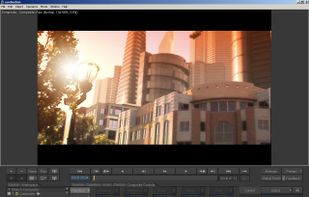

The last version of Combustion was Combustion 2008. The end of its development was never officially announced, but the program is no longer available on the Autodesk website.

Features
Tags
- Animation
- compositing
Autodesk Combustion News & Activities
Recent activities

Autodesk Combustion information
Developed by
 Autodesk Inc.
 Licensing
Proprietary and Commercial product.Alternatives
9 alternatives listedSupported Languages
- English
AlternativeTo Category
Photos & Graphics

What is Autodesk Combustion?
Autodesk Combustion was a computer program for motion graphics, compositing and visual effects.
An all-in-one application for vector paint, motion graphics design, animation, and compositing. With its easy-to-use interface, nondestructive workflow, and extensive toolset, Combustion delivers power at an economical price and instantly augments the creative potential of any serious digital video artist—whether your are producing professional video motion graphics, repurposing video content for the web, or creating effects for feature films or HDTV. Available for both Microsoft Windows and Apple Macintosh computers.
- Full 3D compositing environment
- Advanced visual effects tools—keying, color correction, tracking, grain management, and masking tools inherited from Autodesk® Flame® visual effects and finishing software
- Edit Operator—break free from your NLE and assemble clips complete with transitions right in Combustion
- Rich set of effects tools, including a fully integrated, interactive particle system, warping and morphing, and 3D Post filters
- Comprehensive paint and rotoscoping tools, animation tools, animation curve editor, keyframing, and expressions
- Intuitive schematic view to simplify visualization and organization of complex effects
- OpenGL® API acceleration, multiprocessor support, and extensive caching for improved system performance
Official Links
There are no links for this app, or they've been disabled.