

AutoDarts +
AutoDarts + is a browser extension that enhances your experience on autodarts.io. It adds quality-of-life features, customization options, and advanced functionality to make your Autodarts experience more enjoyable and personalized.
Cost / License
- Free Personal
- Open Source
Platforms
- Microsoft Edge
- Mozilla Firefox
Features
- No registration required
- No Tracking
- Ad-free
- Microsoft Edge extension
AutoDarts + News & Activities
Recent activities
POX added AutoDarts + as alternative to Autodarts Training Plans
POX added AutoDarts + as alternative to Tools for Autodarts, Autodarts Camera Settings, Autodarts Bell and Autodarts Turn Sound- POX added AutoDarts +
AutoDarts + information
What is AutoDarts +?
AutoDarts + is a browser extension that enhances your experience on autodarts.io. It adds quality-of-life features, customization options, and advanced functionality to make your Autodarts experience more enjoyable and personalized.
Features:
Match Customization
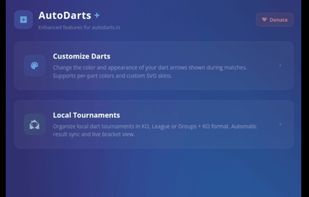
- Darts Customization: Desing your own unique darts or import custom SVG code
Gameplay Features
- Local tournaments: Create your own local tournaments with KO, league or groups
- Ranked: Play a ranked mode with bronze, silver, gold, platinum, diamond, champion and world master rank
Configuration
The extension provides a comprehensive settings panel where you can configure all features according to your preferences:
- Enable/disable individual features
- Customize colors and appearance
- Set timing for automatic actions
- Configure Discord webhook integration
- Adjust sound settings and upload custom sounds
- Customize streaming mode settings
Settings Import/Export
The extension allows you to easily transfer your settings between devices or create backups:
- Export Settings: Download your current configuration as a file
- Import Settings: Load settings from a previously exported file
- Copy to Clipboard: Copy your settings to the clipboard for easy sharing
- Paste from Clipboard: Apply settings that were copied from another installation
- Reset Settings: Restore all settings to their default values through the Danger Zone section
This makes it simple to:
- Back up your perfect configuration
- Share your setup with friends
- Transfer settings between browsers or devices
- Restore settings after reinstalling the extension
- Start fresh with default settings when needed



