
Audio Tag Manager icon

Audio Tag Manager

Edit metadata of audio files directly, apply changes to multiple files, clean tags with presets, and rename files from tag information.
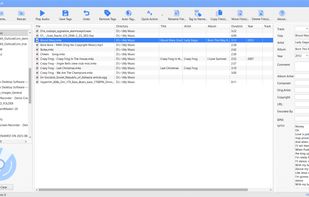
Audio Tag Manager screenshot 1

Cost / License

  • Free
  • Proprietary

Platforms

  • Windows
0likes
0comments
0alternatives
0articles

Features

Properties

  1.  Lightweight

Features

  1.  No Tracking
  2.  MP3 / ID3 Renaming
  3.  No registration required
  4.  Batch Rename Files
  5.  Lossless Audio
  6.  Audio tagger
  7.  Mp3 Tag Editor

Audio Tag Manager News & Activities

Highlights All activities

Recent activities

Audio Tag Manager information

  • Developed by

    CY flagTkoSoft
  • Licensing

    Proprietary and Free product.
  • Alternatives

    0 alternatives listed
  • Supported Languages

    • English

AlternativeTo Categories

Audio & MusicFile Management
Audio Tag Manager was added to AlternativeTo by tkosoft on and this page was last updated .
No comments or reviews, maybe you want to be first?

What is Audio Tag Manager?

Audio Tag Manager is a free tool for people who have music folders with incorrect tags, missing album data, inconsistent filenames, or absent cover art. Instead of fixing each file manually in a media player, users can edit metadata directly, apply changes to multiple files, clean text with presets, and rename files from tag information.

The application is designed for practical music library cleanup. It can scan folders and subfolders, display audio files in a sortable list, filter files by name or tag content, and edit both basic and extended metadata. It supports MP3, FLAC, OGG, APE, M4A, WMA, and WAV files.

A key feature is Auto-Tag, which searches MusicBrainz for possible metadata matches. This is helpful when files have incomplete information but still contain enough artist and title data to search online. Users can review possible results before applying changes.

Another important part of the program is the preset system. Built-in and custom presets can help fix repeated formatting problems such as extra spaces, wrong letter case, underscores, dots, unwanted text, or copied values between tag fields. This makes the program useful for batch cleanup of large audio collections.

Audio Tag Manager Videos

