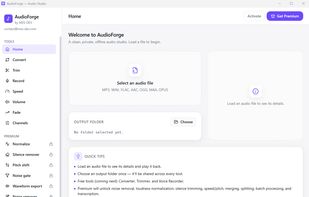
AudioForge is the clean, modern audio studio that Audacity should have been. Convert, trim, normalize, clean up noise, and transcribe audio — all on a single fast desktop app for Windows, fully offline and completely private. Your audio files never leave your machine.
Built for podcasters, voice-over artists, meeting recorders, language learners, and content creators who want professional results without Audacity's dated, confusing interface, without Adobe Audition's subscription, and without uploading sensitive recordings to online tools.
The free toolkit handles real production work: convert between MP3, WAV, FLAC, AAC, OGG and M4A with bitrate control, trim on a real decoded waveform with draggable handles, and record straight from your microphone with a live level meter. Speed audio up or down without pitch distortion, boost quiet recordings safely, add smooth fade-in and fade-out, and remix channels — convert stereo to mono, swap left/right, or isolate a single channel. An info panel shows sample rate, bit depth, bitrate, channels and codec, and you can preview any file before and after processing.
Unlock premium once for the studio suite. Bring audio to broadcast-consistent loudness with LUFS normalization (one-click podcast, YouTube and broadcast targets), strip background hiss and hum with fully offline AI noise reduction, and remove dead air automatically with silence detection. Shift pitch by exact semitones without changing tempo, and gate out breaths between phrases. Transcribe speech to TXT, SRT or DOCX with a local Whisper AI model — no internet, no uploads, no limits. Export waveform images for audiograms, edit metadata tags, then scale up with batch conversion, audio merging and splitting, an unattended processing queue, reusable presets, and a full processing history.
AudioForge installs lean and provisions its engines on first use — the FFmpeg core, the AI noise model, and the Whisper transcription engine each download once, automatically, then work offline forever. Free to use, with a one-time premium license and no recurring fees.







 monsernet added AudioForge as alternative to Sound Forge, Audacity, Tenacity, FL Studio and 6 more


No comments or reviews, maybe you want to be first?