


ArchiveBox
94 likes
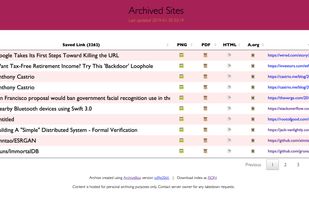
Self-hosted archiving platform storing web content as HTML, PDFs, screenshots, media, and WARC files; imports links from bookmarks, RSS, or files; supports browser history, complex sites, JSON indexing, Git repo archiving, regular scheduling, and offline browsing.

Cost / License
- Free
- Open Source (MIT)
Application typeApplication types
Platforms
- Mac
- Windows
- Linux
- Android
- iPhone
- Android Tablet
- iPad
- Self-Hosted
- Microsoft Edge
- Google Chrome
- Safari
- Homebrew
- Docker
- Mozilla Firefox


Features
Highlights All activities
ArchiveBox News & Activities
Recent News
- Paul published news article about ArchiveBox

Recent activities
- Stephan-Magalatchoumy liked ArchiveBox
- jeffsfg liked ArchiveBox
 Kaarel-K-re added ArchiveBox as alternative to Zipasite
 Gurjeet-Singh added ArchiveBox as alternative to SnipHome
- Mark liked ArchiveBox
- Mohamad AlHariri liked ArchiveBox
- Paul liked ArchiveBox
- Paul updated ArchiveBox
- Paul updated ArchiveBox
 Solavixa added ArchiveBox as alternative to Solavixa Web Archive Studio





Oh My List
Useful App


Mac apps
List of all Mac apps


A. LINKS
A list with 191 apps by shaesolomon without a description.

Developed by
 Nick Sweeting
 Licensing
Open Source (MIT) and Free product.Written in
Rating
Average rating of 4Alternatives
74 alternatives listedBadge
Get an embeddable badge for ArchiveBoxSupported Languages

AlternativeTo Categories
Web Browsers, Network & Admin, Education & Reference, News & BooksGitHub repository
- 28,767 Stars
- 1,616 Forks
- 154 Open Issues
- Updated


Comments and Reviews
Strength: • Free • Fast • No censorship • Software code is community owned. ArchiveBox (AB) is better than both Archive Today (AT) and Wayback Machine (WB). Why better? Because AB software as stronger security & stronger privacy. Why? Because AB code is open source. This means that it is available for both public review & contributions. Compare to AT and WB which have weaker security & weaker privacy. As they are not open source. • Attractive MIT license https://github.com/pirate/ArchiveBox/blob/master/LICENSE
Challenge: • The downside with ArchiveBox is that you need to either install it on your own server or hire somehow to do so.
Note: • See screenshots at https://github.com/pirate/ArchiveBox#screenshots • Code repository at https://github.com/pirate/ArchiveBox
This site is too hard to use and doesn't let me archive sites.
Works fine on Manjaro Linux distro yet lacks a lot of useful features and is under development now.
[Edited by abhi884, August 15]