


Apple Maps
Navigate with voice-guidance and real-time transit data. Enjoy detailed traffic updates, 3D city exploration with Look Around and Flyover, and access indoor maps of public places, syncing across devices, and using CarPlay. Rated places with guides support seamless city exploration.

Cost / License
- Free
- Proprietary
Application types
Platforms
- Mac
- Online
- iPhone
- iPad
- Apple Watch
- Apple Car Play


Features
- Turn-by-turn Navigation

- Points of Interest (POI)

- Community-based
- Ad-free
- Nearby Search
- Voice Navigation
- Cycling
- No installation required
- Based on OpenStreetMap
- GPS Navigation
- Real-time traffic
 ICloud Integration


Apple Maps News & Activities
Recent News
- Maoholguin published news article about Apple Maps
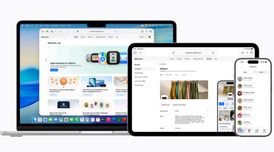 Apple announces a new Business platform with free business email and will show ads in Maps
Apple has introduced Apple Business, a new all-in-one platform that combines device management, pro...
- POX published news article about Apple Maps
 Apple will reportedly bring search ads to its Apple Maps app next year
Apple is expected to introduce advertising to Apple Maps in 2025, according to Bloomberg's Mark Gur...
- POX published news article about Apple Maps
 Apple Maps now features insights from external sources like Michelin Guide
Apple Maps is introducing a new way for users to discover top-rated restaurants, hotels, and golf c...


Recent activities
- bbrobb liked Apple Maps
 justarandom added Apple Maps as alternative to Transportia
 mladenp added Apple Maps as alternative to Map Fwd
 POX added Apple Maps as alternative to Cartes
 scaelere added Apple Maps as alternative to Geomapping
 MotoFlow added Apple Maps as alternative to MotoFlow
- muhammadfarag liked Apple Maps
 kafk added Apple Maps as alternative to Rename World
- ajcooke94 liked Apple Maps
 andrewbennett910 added Apple Maps as alternative to EZRoutePlanner


Featured in Lists

A list with 7 apps by asahiocean without a description.
What is Apple Maps?
Get around with ease.
• Use voice-guided turn-by-turn navigation for driving, cycling, or walking. • Get real-time transit schedules and directions via subways, buses, trains, and ferries. • Check real-time traffic conditions, incidents, and road closures. • See speed limits for the road you’re driving on and get guidance on which lane you should be in before your next move. • Report incidents in the Maps app and see incidents reported by other users, including accidents, hazards, and speed checks. • See when you’re approaching speed and red-light cameras along your route. • Get cycling directions to route along bike lanes, paths, and roads while taking elevation and busy streets into account. • Plan your drive or transit journey by choosing a future departure or arrival time. • Glance at the Lock screen for turn-by-turn navigation, transit directions, and Time to Leave notifications. • Find your parked car and get directions to it.
Discover and interact with places.
• Look up information about places, including hours, photos, ratings, reviews, and support for Apple Pay. • Search and browse by category, including food, drink, shopping, and more. • Rate and add photos to places you’ve visited in Maps • Discover great places to eat, shop, and explore with curated Guides from trusted brands. • Make restaurant reservations, dial phone numbers, and open websites directly from within Maps. • Browse through detailed indoor maps for hundreds of malls and airports worldwide. • Add the places you visit often to your Favorites for quick and easy navigation. • Ask Siri to find places you’d like to go.
Visit new places without leaving home.
• Explore select cities with Look Around, which offers a ground-level, high-resolution, interactive 3D experience. • View major cities around the world from the air with photo-realistic, interactive 3D views using Flyover.
Use any of your devices.
• Access your favorite places from your Mac, iPad, iPhone, or iPod touch using iCloud. • Use Maps with your car’s display in your CarPlay-equipped vehicle. • Use Maps with your Apple Watch to get taps on your wrist when it’s time to make a turn. • Plan your trips on your Mac and share them with Maps on your iOS device.

Apple Maps information
Developed by
 Apple
Apple Licensing
Proprietary and Free product.Rating
Average rating of 3.6Alternatives
137 alternatives listedNews
9 news article related to Apple MapsSupported Languages
- English
- Arabic
- Catalan; Valencian
- Croatian
- Czech
- Danish
- Dutch
- Finnish
- French
- German
- Greek
- Hebrew
- Hindi
- Hungarian
- Italian
- Japanese
- Korean
- Malay
- Norwegian Bokmål
- Polish
- Portuguese
- Romanian
- Russian
- Chinese
- Slovak
- Spanish
- Swedish
- Thai
- Turkish
AlternativeTo Categories
Travel & Location, Sport & HealthApple AppStore
- Updated
- 2.39 avg rating


Comments and Reviews
Look around feature is great, smoother transitions when moving to a point compared to Google Maps and images appear to be less static.
Superior quality over Google Maps. Tho it has fewer supported platforms, and has less public transportation company here compared to Google Maps. The favorites also looks way better than on Google Maps, the maps feels much less crowded here when you have many saved places on your map.
Apple has improved this a LOT in the past few years. It has dark mode and works great on Mac too!
The only issues I have with it are that the zoomed out satellite basemap isn't the best, and it uses Yelp for place info which is sometimes out of date. I haven't used it for navigation yet.
Having tried both since the first iOS release since the split, I always end up going back this one. It's interface, directions, and richness of information is superior. I find it can always find what I'm looking for, and it gets the job done.