





AnyMP4 DVD Ripper
You can convert DVD to MP4, MKV, AVI, MOV, WMV, FLV, M4V, TS, DivX, WebM, 3GP and other 4K/1080p/720p video formats with ease and then save DVD to computer for backup.

Cost / License
- Pay once
- Proprietary
Platforms
- Windows




AnyMP4 DVD Ripper
Features
- Support for 4K
- No Tracking
- Lossless Audio
- Ad-free
AnyMP4 DVD Ripper News & Activities
Recent activities
- AnyMP4 updated AnyMP4 DVD Ripper
AnyMP4 DVD Ripper information
Developed by
 AnyMP4
 Licensing
Proprietary and Commercial product.Pricing
One time purchase (perpetual license) ranging between $24 and $55.Alternatives
0 alternatives listedBadge
Get an embeddable badge for AnyMP4 DVD RipperSupported Languages
- English
- Arabic
- Czech
- Danish
- German
- Greek
- Spanish
- Finnish
- French
- Hungarian
- Italian
- Japanese
- Korean
- Dutch
- Norwegian Bokmål
- Polish
- Portuguese
- Russian
- Turkish
- Urdu
- Chinese
What is AnyMP4 DVD Ripper?
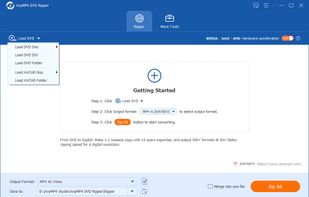
AnyMP4 DVD Ripper is a digital media conversion solution that enables users to transcode physical DVD discs, folders, and ISO image files into common digital video and audio formats. This software falls under the utility category for optical disc ripping and video processing, designed for individuals who need to digitize their physical media libraries for playback on modern devices without built-in disc drives. The primary audience for this tool includes home media enthusiasts, collectors seeking to archive their physical libraries, and users who wish to transfer DVD content to mobile devices, tablets, or gaming consoles. By converting MPEG-2-encoded DVD data into compressed formats such as MP4, MKV, or AVI, the software enables easier storage management and broader device compatibility.
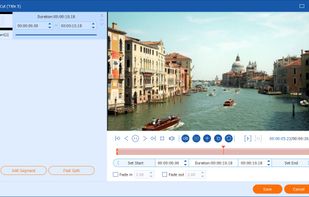
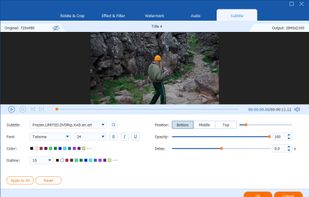
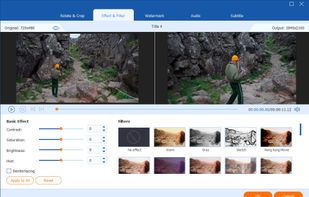
Key Functional Capabilities • Format Versatility: Supports the conversion of DVD content into over 500 digital formats, including high-definition 4K and 1080p video outputs, as well as lossless audio extraction. • Hardware Acceleration: Utilizes GPU acceleration technologies (such as NVIDIA CUDA and AMD App Acceleration) to increase the speed of the transcoding process without placing a heavy load on the computer's CPU. • Integrated Editing Tools: Provides a suite of basic video manipulation features, allowing users to clip segments, merge multiple titles, adjust visual parameters like brightness and contrast, and add watermarks or subtitles. • Metadata Retrieval: Automatically fetches and embeds metadata information, such as movie titles, actors, and chapter markers, to ensure digital files remain organized in media server environments.
In practical use cases, the software is employed to create backup copies of personal media to prevent data loss from physical disc degradation. It also serves as a bridge for users moving toward home server setups, such as Plex or Kodi, where a digital file is required for streaming throughout a local network. The objective of the tool is to maintain a balance between file size and visual fidelity through adjustable bitrate and codec settings, ensuring the resulting digital file meets the specific technical requirements of the user's playback hardware.