


AML PAGES
3 likes
Tree-structured notes organizer for Windows.

Platforms
- Windows


Discontinued
Website is no longer available.

Features
Highlights All activities
AML PAGES News & Activities
Recent activities
No activities found.


Developed by
UnknownLicensing
Proprietary and Commercial product.Pricing
One time purchase (perpetual license) that costs $29.Alternatives
13 alternatives listedBadge
Get an embeddable badge for AML PAGESSupported Languages
AlternativeTo Category
Office & Productivity


Notes and project management
A list with 32 apps by desbest without a description.
Official Links
There are no links for this app, or they've been disabled.
Comments and Reviews
It has a 40 days trial. The cost is 8 dollars. It has many functions. A useful search. However, it collapsed on Windows 10 X64 for me. Several times doing the same action. I'm just testing now, and probably won't change "AllMyNotes" for this one.
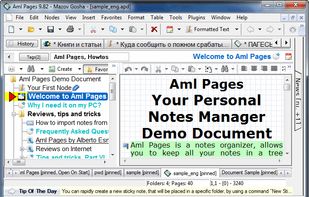
AML Pages: it's a very complete software, with a number of functions that could be divided into two groups: 1) Data functions: word processor, notepad, text editor, with the possibility of including tables, organizing the notes in a hierarchical structure with the tree view in the left panel (outliner). The functions of the word processor are very complete. You can select font, paragraph, numbered lists, etc. 2) Organizing Features: Notes can be organized in different ways. Taking advantage of the outliner-like hierarchical structure, with the tree view in the left panel, adding customizable labels (bookmarks), with subfolders, etc. The screen of the program can be customized to our liking, with preconfigured themes or by choosing the color combination that you like the most, something that few programs bring. Another advantage of this software is the ability of hiding the amount of menu bars and buttons that appear, simply by pressing f11, with which we get something like a "distraction free" processor, so how to write. One thing that caught my attention and that seems excellent to me is that when TOOLBARS is selected in the EDIT menu, when hovering over the name of a menu bar, it flashes to indicate which one it is. Really very ingenious. The only objection I can make to the program for now is that the tables do not have a mathematical function, that is, they do not work as a "spreadsheet" but only as a grid to include and organize information. In everything else, the program is extremely complete and despite the number of functions and options it has, it is well organized, very intuitive and easy to learn to use. Very short and low learning curve. For the rest, it will be a matter of continuing to test the program for a final opinion, after loading it with data and checking its operation over the course of a few days. it would be a shame to only have it for 40 days ;)