


AirDroid Remote Support
1 like
AirDroid Remote Support helps technicians visualize remote issues and guide on-site personnel with clear instructions. The perfect remote troubleshooting tool for resolving mobile devices and technical issues in the field.

Cost / License
- Pay once
- Proprietary
Application type
Platforms
- Android
- iPhone
- Android Tablet


Features
Properties
- Lightweight
- Privacy focused
Features
- Unattended Access
- Support for Multiple Monitors
- Real time collaboration
- Screen Sharing
- Cloud Sync
- Remote Support
- Remote monitoring
AirDroid Remote Support News & Activities
Highlights All activities
Recent activities
No activities found.
AirDroid Remote Support information
Developed by
 Sand Studio
 Licensing
Proprietary and Commercial product.Pricing
One time purchase (perpetual license) ranging between $199 and $599.Alternatives
4 alternatives listedSupported Languages
- English


No comments or reviews, maybe you want to be first?
Featured in Lists
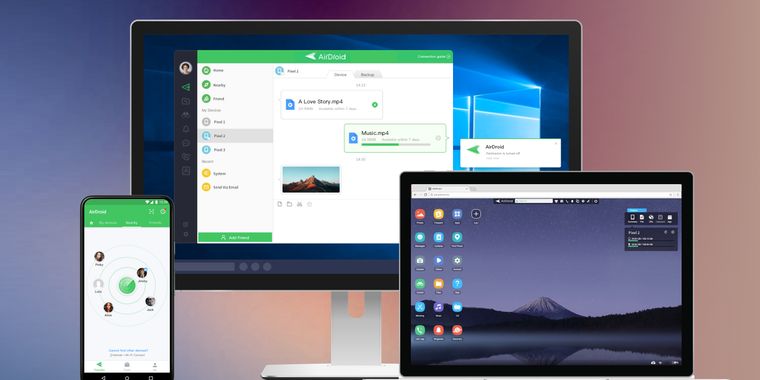
Access & Manage your phone from any computer
List by Kaylee Z with 4 apps, updated
What is AirDroid Remote Support?
AirDroid Remote Support, a customer support solution designed for customer service, IT support, and Help Desk teams, is an efficient tool to remotely control and manage attended and unattended devices. With AirDroid Remote Support, technicians and IT professionals can provide remote technical support to users, troubleshoot problems, and perform various tasks on the Android device without physically being present.
Features:
- Remote Unattended Access: Remotely control and manage unattended Android devices, enabling you to fix technical issues even when no one is physically present with the device.
- Establishing security policy: Create security policies to keep your devices and data safe.
- Group management: Lets you easily manage and control multiple devices in one go of monitoring the status of the device fleet.
- Black Screen Mode: IT administrators can now use security mode during remote control to hide the screen of the remote device being controlled.
- Remote Input Method: Allows IT administrators to use the control panel keyboard to input text on the controlled device remotely. And paste text between the controlled device and the control panel with clipboard synchronization.
- Voice Call: Discuss the problem in real-time with your partner over a voice call.
- Screen Sharing: Share your screen with your partner to see the issue together. You control when to start, pause, or stop screen sharing.
- Tutorial Gesture: Let your partner show you their operation trace and lead you to a solution.
- Chat: Send text, pictures, or voice messages to communicate with each other.
- File Transfer: Share files and solve software issues quickly with our file transfer feature. Send files through the chat window and easily guide recipients through APK installation.
- Privacy Protection: During screen-sharing, you can pause anytime to protect your password and privacy from being seen by your partner.
