





Topaz Gigapixel
29 likes
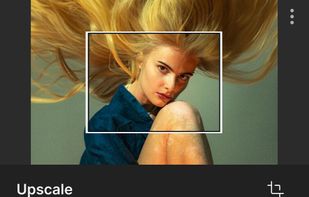
Upscales images by 16x with AI, perfect for large prints. Enhances realistic textures, clears pixelation, and retains details in low-res photos. Versatile for photographers and artists aiming for high fidelity or creative flexibility.

Cost / License
- Subscription
- Proprietary
Application type
Platforms
- Mac
- Windows
- Adobe Photoshop


Features
Highlights All activities
Topaz Gigapixel News & Activities
Recent News
- Fla published news article about Topaz Bloom
- Mauricio B. Holguin published news article about Topaz Gigapixel


Recent activities
 Mathias Richardsen added Topaz Gigapixel as alternative to SnapToSize
 MegaPotato added Topaz Gigapixel as alternative to MegaPotato
 Zack-6521 added Topaz Gigapixel as alternative to upscale.tools
 Pixel Isolate added Topaz Gigapixel as alternative to Pixel Isolate
 jaakkoc added Topaz Gigapixel as alternative to Enlarger
 FST added Topaz Gigapixel as alternative to PixelForge AI
 Danilo Venom added Topaz Gigapixel as alternative to ClarifyPix
 Munib Ali Laghari added Topaz Gigapixel as alternative to EnhanceCraft
- jaosn-wu-tl-e updated Topaz Gigapixel
 pixa added Topaz Gigapixel as alternative to Pixelcut


Developed by
 Topaz Labs
 Licensing
Proprietary and Commercial product.Pricing
Subscription ranging between $12 and $29 per month.Rating
Average rating of 3.6Alternatives
64 alternatives listedBadge
Get an embeddable badge for Topaz GigapixelSupported Languages


Comments and Reviews
Three or four stars, depending on the AI models and images you use. Some AI models applied to certain images work very well, but sometimes no combination is satisfying, even with manual settings.
Good to know: 1° updates are included in the purchase for only one year; 2° the quality of the templates has varied considerably over time (I mean NOT consistently improved).
In short, a very good software only if your own images are suitable for it...
Beware of the changing licensing of this product. The company behind Gigapixel, Topaz Labs recently changed their licensing, so now there is a separate "Pro" version of the product, so they did a bait and switch kind of thing - earlier license is nowhere to be found, and the new "updated" license puts some limits on commercial use of the product, so it could be seen that they encourage you to buy this new "Pro" version. I and others asked about this on their forum, and they weren't very transparent about this at all, and the old license is nowhere to be found.
Gigapixel AI does more than just the usual unsharp masking of other programs, it actually reveals additional details and not just sharpens what is there.
Gigapixel AI is not perfect; it requires some experimenting with the different AI models and settings, but with a little experimentation, it can greatly improve any image.
Also, keep in mind this program requires a high-level updated cpu and graphics card to successfully use the AI functions.
P.S. Gigapixel AI is also good at "reducing" large photos and keeping the details.
What most impressed me was the "Face recovery Tool" option. This tool is designed specifically for detecting and improving "faces" in images. This option greatly improves the detail from low-resolution or pixelated "faces". The developers of the program promise that future versions will also allow recovery of more than just "faces".
It does a super job but it take sometime if you don't have External GPU like nvidia and it uses your CPU.
[Edited by kfua, January 11]
Excuse me, does this software actually "Constantly" need to be connected to the internet for its Neural Networking Deep Learning? I mean like fetching Database from its own server to enhance image
No it doesn't need internet, i just tested it with the wifi off and it finish the picture. It probably download all requirement files to work during installation.
The program works well even off the internet. The only time my copy updates is when I generate enhancement options that may require additional model files or when a model update is available.
Really like it, can't find another alternative right now. I hear about google raisr but is not avaliable.