


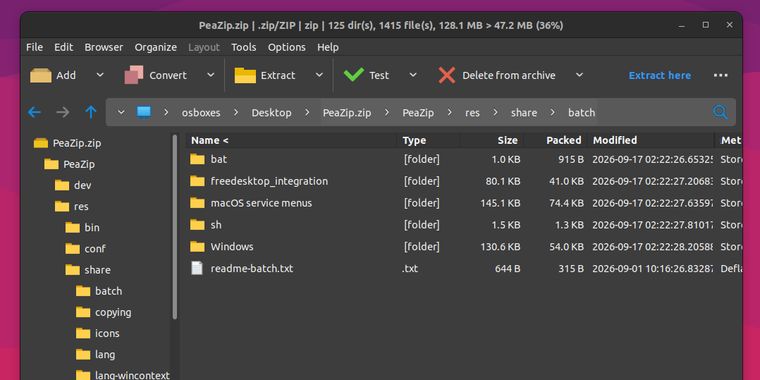

PeaZip 11.3 lands with improved ZPAQ support, new test function for PEA archives, and more
The popular open-source file archiver PeaZip has released version 11.3, an update its developer says users should not skip. “Due to multiple security fixes and improvements it is recommended to update to the new version”, the release announcement on GitHub reads. The update brings a refreshed backend stack — 7-Zip/p7zip 26.03 and Pea 1.33 — along with roughly 243 supported archive file extensions, cementing the utility's position as one of the most format-versatile compressors available on Windows, Linux, and macOS.
Several of the most notable changes touch security. The UNPEA extraction procedure now unpacks PEA archives to a randomly named temporary work folder first, renaming it to the real output name only after successful validation and deleting it automatically if validation fails, a safeguard against partially extracted or corrupt archives. On Windows, the dragdropfilesdll.dll library is now loaded from an absolute path only after hash verification, and the default list of security-sensitive file extensions requiring user confirmation before launch has been extended, with the check now applying to “Open/Preview with associated application” as well as double-clicks. In a more disruptive change, the integrated password manager now requires a master password, and existing users are advised to export and re-import their saved credentials when migrating from previous versions.
On the usability side, PeaZip 11.3 introduces a new “Open with” screen accessible via Shift+F12, which surfaces custom applications, scripts, and web services alongside system handlers, and adds fresh Blue and Blue-Dark themes. Archive creation tasks can now display the compression percentage or ratio in the task screen, ZPAQ support has been improved, including an option to force interactive password entry, and a new setting automatically opens the output folder in PeaZip once archiving or extraction completes. The release also fixes a handful of crashes, including one affecting command-line exports of compressed TAR formats and another triggered when operating on encrypted ZPAQ archives without supplying a password in advance.



- File Archiver
- Free
- Open Source
Related news
External links
- PeaZip 11.3 bug fixes, new features, release notesPeaZip • Official source
- Release PeaZip 11.3.0GitHub • Official source
- PeaZip 11.3 Archive Manager Improves ZPAQ Support, Adds New Themes9to5Linux
- PeaZip 11.3 File Archiver Adds Safer PEA ExtractionLinuxiac
No comments so far, maybe you want to be first?