


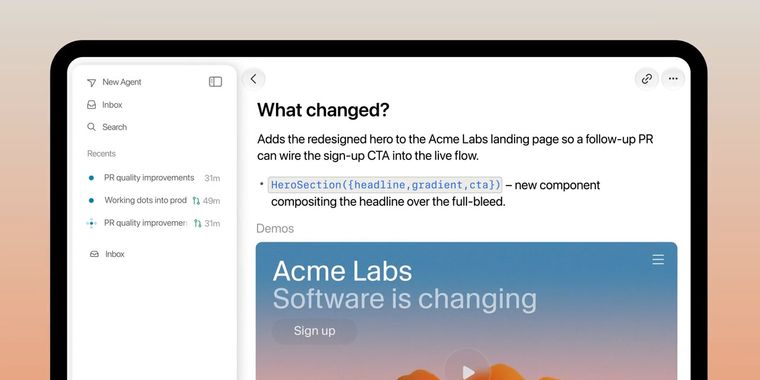

Cursor launches full-featured iPad app with advanced multitasking, inbox, and review tools
Cursor, the AI-powered coding agent, is now accessible on iPad for all paid users, introducing a revamped application designed to take advantage of the tablet's larger display. The iPad app features a layout rebuilt to utilize extra space, allowing for pinned sidebar chats, so users can monitor multiple agents. It also offers split screen functionality, enabling reviews to remain open next to active chats, while file diffs render in their entirety.
In addition to interface changes, the iPad version enhances code review workflows. Markup tools now support attaching screenshots, dropping comments at specific points, and drawing directly on images using the Apple Pencil. On both iPhone and iPad, the updated review screen now presents the entire pull request, consolidating comments, checks, and approvals. Users can add or change reviewers, read through discussions, and prompt the agent to address specific issues, making the full review-to-merge process available on mobile devices.
Following these changes, an inbox feature helps keep users and their agents organized by displaying work in progress, pending actions, and pull requests under review. Meanwhile, expanded support includes Bitbucket and Azure DevOps for source control, multi-pull request sessions, and direct switching between teams within the app.




- AI Coding Assistant
- Freemium
- Proprietary
Related news
External links
- Cursor, now on iPadCursor • Official source
Comments
It's great to see Cursor treating the iPad as a real development device instead of just a companion app. Split-screen reviews, Apple Pencil markup, and full pull request management make mobile coding workflows much more practical.