


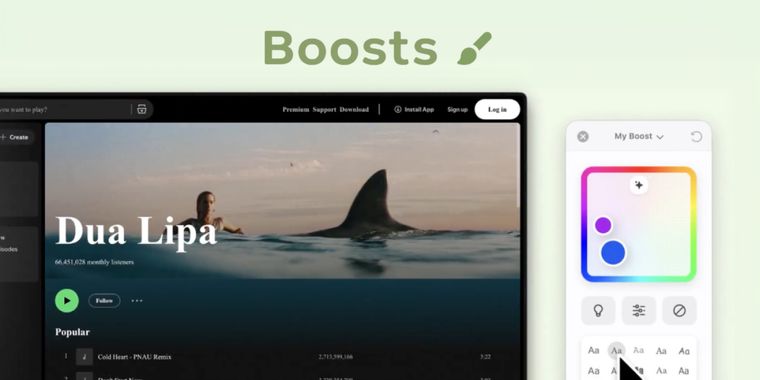

Zen Browser launches a Boosts feature to customize colors, fonts and styles on any website
Zen Browser’s latest update introduces Boosts, a new feature that lets users customize how any website looks and behaves directly within the browser, inevitably recalling some of the most praised customization features from the now discontinued Arc Browser. Users can access Boosts from the site control icon next to the URL bar, then adjust colors, fonts, and site styles, enable automatic dark mode, or use the zap tool to remove unwanted page elements.
The update positions Boosts as a per-site customization system, giving users more control over both visual style and browsing comfort without relying on third-party extensions. It also adds stronger fingerprinting protection in Standard Enhanced Tracking Protection, reducing the share of users uniquely identifiable through browser and device data by 14% on average, and by 49% on macOS.
Other additions in this update include Zen PDF support for merging multiple PDF files directly inside the browser, while Windows geolocation now respects system-level location permissions instead of overriding them. Zen has also been updated to Firefox 151.0 and 151.0.1, with smaller improvements covering extension overflow behavior, UI issues, workspace switching, fullscreen video controls, pinned tabs, and split view handling.





- Web Browser
- Free
- Open Source
Related news
External links
- Release notes - ZenZen Changelog • Official source
No comments so far, maybe you want to be first?