


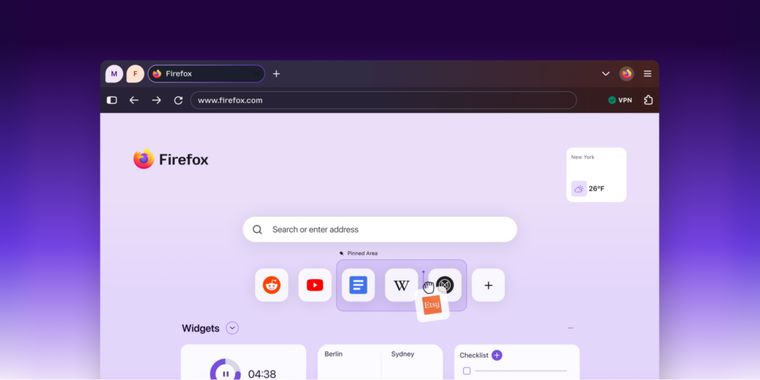

Mozilla makes Firefox’s rounded Nova UI mandatory on December 8, with no way to revert
Mozilla has released Firefox 161.0 with per-site controls for its built-in VPN, allowing users to enable protection for individual websites. The update also introduces a Fire Button for clearing all or selected browsing data, credit card security code autofill, direct access to saved tab groups from the application menu, and a customizable keyboard shortcut for copying the current page's URL.
The release comes amid growing frustration among Firefox users over Mozilla's decision to make its controversial Nova redesign mandatory starting December 8 with Firefox 162. The company is locking the hidden about:config preference that allows users to revert to the previous interface, citing potential unexpected browser behavior. The decision has sparked considerable backlash, with users criticizing Nova's excessively rounded elements, increased padding, and the loss of interface customization.
In an attempt to address community feedback, Mozilla has introduced Classic Themes, including solid colors, Firefox OLED, and the previous Proton theme, although none restore the original layout, shapes, or spacing. Firefox 161 also brings back side indicators for vertical container tabs and fully supports Compact mode in Appearance settings. Other changes include improved Chrome history imports, fixes for session restoration, Windows fullscreen issues, macOS Spotlight freezes, and low-resolution WebRTC video calls.




No comments so far, maybe you want to be first?